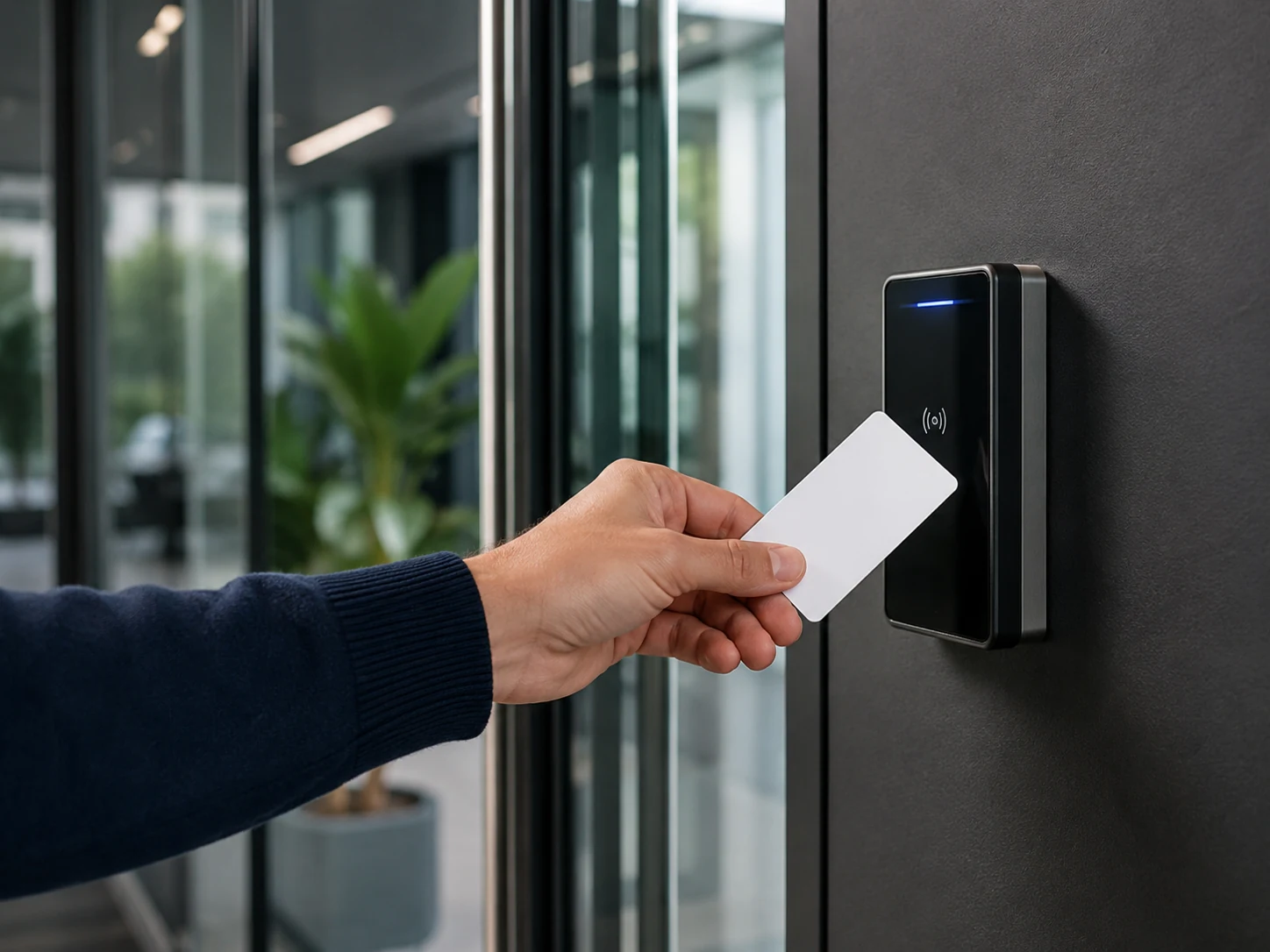
Category: Access Control & Identity

Credentialing, biometrics, smart locks and identity verification technologies that control who can enter a facility.

  • Visitor Management Systems: Pre-Registration, Badging, and Watchlist Screening Explained

    Visitor Management Systems: Pre-Registration, Badging, and Watchlist Screening Explained

    A visitor management system (VMS) is the software and hardware layer that governs who is allowed into a facility temporarily, how that permission is verified at the door, and how long it lasts. In its simplest form it replaces the paper sign-in log and adhesive name badge with a digital record, a printed or mobile credential, and an audit trail. In its more developed form, a VMS pre-screens guests before they arrive, checks their identity against internal and external watchlists, notifies the employee they are visiting, and issues a time-bound credential that can open specific doors through the building’s access control system.

    The core practical tradeoff in deploying a VMS is between friction and assurance. A lobby that demands government ID scanning, photo capture, NDA signature, and a watchlist check for every guest produces a strong audit record but slows down legitimate visitor flow and raises data-retention and privacy questions. A lobby that only asks for a name and who the visitor is meeting is fast but offers little evidence of who was actually in the building, and gives security staff no advance warning if a flagged individual has been invited. Most deployments sit somewhere between these poles, with the exact setting driven by the facility’s risk profile, regulatory obligations, and the sensitivity of the areas a visitor could reach.

    How the Visitor Workflow Operates

    A typical VMS workflow has three stages: pre-registration, on-site check-in, and credential issuance. During pre-registration, a host (the employee being visited) or an administrative assistant enters the visitor’s name, company, and visit purpose into the system ahead of time, often triggering an automated email or SMS with a QR code, parking instructions, or a pre-fill link for required paperwork such as an NDA or safety briefing acknowledgment. This step allows screening and compliance checks to happen before the visitor is standing at the front desk, which both speeds up arrival and gives security staff time to react to a flagged result.

    At check-in, the visitor presents the QR code, scans a driver’s license or passport, or is looked up by name at a kiosk or staffed desk. The system captures a photograph (either from the ID scan or a webcam), timestamps arrival, and generates a badge, typically a self-expiring adhesive label printed with the visitor’s name, photo, host, and date, so that the badge visually invalidates itself after one day. Simultaneously, the system fires a host notification through email, SMS, Slack, Teams, or a dedicated mobile app, prompting the employee to come meet their guest. Checkout, whether manual or automatic at end-of-day, closes the visit record and is what ultimately produces an accurate presence log for emergency accountability and compliance audits.

    Watchlist and Denied-Party Screening

    Screening is the step that differentiates a basic sign-in app from a security-grade VMS. At check-in, or immediately after pre-registration data is submitted, the system runs the visitor’s name (and sometimes date of birth or ID number) against one or more reference lists. These commonly include an organization’s own internal “do not admit” list (former employees terminated for cause, banned contractors), national sex-offender registries, and, for regulated industries such as defense, aerospace, and critical infrastructure, government restricted-party lists such as the U.S. Treasury’s Specially Designated Nationals (SDN) List and other denied-party lists maintained under export-control and sanctions law. Matching is almost always approximate rather than exact, using fuzzy name-matching logic, because transliteration, middle names, and common surnames produce frequent near-matches that require human review rather than automatic denial.

    A match does not usually trigger an automatic lockout by itself; most deployments route a flagged result to a security operator for adjudication before the visitor is denied entry or admitted under escalated supervision. This human-in-the-loop step matters because false positives are common with common names, and an automatic hard-deny without review creates both operational friction and potential liability. For organizations with export-control or sanctions exposure, screening every visitor, vendor, and contractor against denied-party lists is treated as part of the same compliance obligation that applies to screening business counterparties.

    Deployment and Configuration Considerations

    Getting a VMS configuration right involves balancing several operational variables rather than following a single default. Facilities should decide, per visitor category (contractor, interview candidate, vendor, VIP, family member in a healthcare setting), what data is captured, whether ID scanning is mandatory, and what paperwork must be electronically signed before badge printing is allowed. Badge design should avoid displaying sensitive information such as full ID numbers, and should use a self-voiding or color-changing design so an expired badge is visually obvious to anyone who sees it the next day. Pre-registration should be the default path for expected guests, since it front-loads screening and paperwork, and most platforms allow hosts to batch-register attendees for meetings or events rather than entering each person manually at the desk.

    Network and power resilience also matters in practice: a kiosk that cannot print a badge during an internet outage effectively shuts down the lobby, so offline check-in and local badge printing with delayed data sync is a meaningful resilience feature rather than a convenience one. For broader context, see SectechMedia’s guide to access credential revocation and offboarding, since visitor credentials follow the same expiration and revocation logic that employee credentials do, just compressed into a single day.

    Common Failure Modes and Privacy Considerations

    The most frequent operational failure is badge tailgating and reuse: a self-expiring badge only works if staff actually glance at badges throughout the day, and a visitor who removes a lanyard badge can sometimes re-enter without re-checking in if door staff aren’t attentive. A second common gap is incomplete checkout, since visitors routinely forget or are not prompted to check out, which corrupts the presence log used for fire-drill accountability and after-the-fact incident investigation. Retained visitor data, names, photographs, ID scans, and signatures, also creates a privacy and data-retention obligation; organizations operating in the EU or California, for example, need a defined retention period and deletion policy for this personal data rather than indefinite storage, and should disclose what is collected and why at the point of check-in.

    Integration With Access Control Systems

    The practical value of a VMS increases substantially when it is integrated with the facility’s access control system (PACS) rather than operating as a standalone kiosk. In an integrated deployment, badge issuance in the VMS triggers the PACS to provision a temporary credential, often encoded on the printed badge itself or issued as a mobile/Bluetooth credential, scoped to specific doors, floors, or time windows and set to auto-expire at a defined time. This means a visitor badge that works at the lobby turnstile and one conference room does not need a separate manual step in the access control software, and it ensures the credential is automatically revoked rather than relying on someone remembering to deactivate it. Most enterprise-grade access control panels and readers communicate using the Security Industry Association’s Open Supervised Device Protocol (OSDP), an encrypted, bidirectional standard (also published as IEC 60839-11-5) that has largely superseded the older unidirectional Wiegand interface; VMS-to-PACS integrations typically rely on vendor APIs or software development kits rather than the reader-level protocol itself, but the underlying credential still has to be provisioned onto a PACS-compatible reader infrastructure. Where facilities issue federal PIV credentials, NIST SP 800-116 Rev. 1 provides the government’s framework for how such credentials should be authenticated at PACS-controlled doors, which is a useful reference point even for private-sector PACS design.

    Deployment Checklist

    • Define visitor categories (contractor, guest, vendor, VIP) and set a distinct data-capture and approval workflow for each
    • Enable pre-registration as the default path so screening and NDA signatures happen before arrival
    • Configure watchlist screening sources appropriate to the facility’s regulatory exposure, and route matches to human review rather than automatic denial
    • Set badges to self-expire visually (color change or voided stamp) by end of day and confirm host notification channels are tested and reliable
    • Integrate badge issuance with the access control system so credentials are scoped to specific doors and auto-revoked at expiration
    • Document a data-retention and deletion policy for visitor PII, ID scans, and photographs
    • Test offline check-in and local badge printing to confirm the lobby can still operate during a network outage

    References

  • Gallagher Security and ASSA ABLOY Integrate IP Locks With Command Centre

    Gallagher Security and ASSA ABLOY Integrate IP Locks With Command Centre

    Gallagher Security has launched an integration with ASSA ABLOY’s IP-connected locks, allowing the devices to be managed directly within Gallagher’s Command Centre access control platform, according to an announcement from the companies reported by Security Systems News and SecurityInfoWatch.

    How the Integration Works

    The integration connects ASSA ABLOY’s IN120 battery-powered Wi-Fi locks and IN220 Power over Ethernet (PoE) IP locks to Command Centre, letting operators centrally manage access permissions, credentials, schedules and overrides without running the extensive cabling or installing the door controllers that traditional wired systems require. Each lock retains local intelligence, allowing it to make access decisions independently if network connectivity is lost, while Command Centre still surfaces events, alarms, battery status, audit records and device health for connected doors.

    Target Applications

    Gallagher and ASSA ABLOY positioned the integration for environments where retrofitting wired hardware is costly or disruptive, including higher-education residence halls, classrooms and research spaces, as well as government facilities, enterprise campuses and healthcare sites with distributed buildings. Matt Butts, Gallagher Security’s EVP for the Americas, and Angelo Faenza, ASSA ABLOY’s head of digital access solutions, both described the integration as combining the two companies’ access control and door hardware expertise to simplify deployment. The companies said the integration is available now in the United States.

    Pricing details and a broader international rollout timeline were not disclosed in the companies’ announcements. More access control developments are tracked in the SectechMedia Technology News archive.

    Sources

  • Access Control Lock Power: Voltage Drop, Inrush Current and Backup Design

    Access Control Lock Power: Voltage Drop, Inrush Current and Backup Design

    Access-control failures are often blamed on software, credentials or readers when the underlying problem is electrical. A lock that receives adequate voltage at the power supply can still behave unpredictably at the door because cable resistance, startup current and shared loads reduce the voltage available under real operating conditions.

    Reliable design begins with the lock manufacturer’s requirements, not a generic current allowance. The calculation must account for continuous load, momentary inrush, cable length, conductor size, relay and connector losses, ambient conditions and the behavior expected during a mains-power failure.

    Start with the Complete Door Load

    List every powered device on each circuit: magnetic locks, electric strikes, electrified panic hardware, request-to-exit devices, readers, sounders, door controllers and auxiliary relays. Record both nominal and peak current where the manufacturer provides them. Some locking devices draw a substantially higher current while moving or energizing than they require once settled.

    A supply selected only from steady-state totals may reset, current-limit or produce an incomplete unlock during simultaneous demand. Designers should apply the manufacturer’s sizing method and retain reasonable engineering margin rather than treating the nameplate capacity as continuously available under every condition.

    Voltage Drop Is a Circuit Calculation

    The relevant distance is the complete current path, including the outbound and return conductors. Longer runs, smaller conductors and higher current increase voltage drop. The correct test point is therefore the device terminals while the lock is operating, not the unloaded supply output.

    Moving from 12 VDC to 24 VDC can reduce current for an equivalent power requirement and make long runs easier to manage, but only when every connected device is approved for that voltage. Mixed-voltage peripherals require deliberate separation or regulated conversion; improvised sharing creates difficult faults and may invalidate a listing.

    Design for Inrush and Simultaneous Events

    Emergency release, scheduled unlocking and a fire-alarm interface can command many doors at once. The worst case is not necessarily one door opening during normal use. Commissioning should test the largest credible simultaneous event while monitoring supply voltage and fault outputs.

    Distributed power can reduce long cable runs and localize faults, but it adds batteries, enclosures and inspection points. Centralized power simplifies maintenance oversight but may require larger conductors and careful circuit segregation. The right architecture depends on building size, survivability goals and maintenance capability.

    Fail-Safe and Fail-Secure Are Operational Choices

    Power loss behavior must follow the approved life-safety and security design. Fail-safe hardware unlocks when power is removed; fail-secure hardware remains mechanically secure while normally allowing free egress from the protected side. The correct choice is governed by door function, code requirements, fire strategy and the authority having jurisdiction.

    A fire-alarm release circuit should be documented, supervised where required and tested end to end. It is not enough to confirm that an input changes state at the access controller; the test must verify the intended mechanical result at every affected opening.

    Battery Backup Needs a Defined Mission

    Backup duration should come from a stated operating objective: maintain normal access, keep selected secure doors powered, preserve controller communications, or support an orderly transition. Calculate battery capacity from the actual standby and alarm loads, then account for aging, temperature and allowable discharge according to the approved equipment instructions.

    Battery supervision and periodic load testing are as important as initial capacity. A system can report healthy mains power for years while degraded batteries remain invisible until an outage. Maintenance records should identify replacement dates and measured performance rather than relying solely on visual inspection.

    Commissioning Checklist

    • Measure voltage at each lock during its highest-current operating state.
    • Test simultaneous unlock and emergency-release scenarios.
    • Verify circuit protection, fault reporting and battery supervision.
    • Confirm fire-alarm interfaces and egress behavior with the approved sequence.
    • Record conductor sizes, distances, loads and supply settings in as-built documents.
    • Repeat critical tests after battery replacement or hardware changes.

    Power design is one layer of a complete access system. For the broader architecture, see SectechMedia’s access control and identity technologies guide.

    References

  • Genea Launches MCP Server to Connect AI Assistants with Cloud Access Control

    Genea Launches MCP Server to Connect AI Assistants with Cloud Access Control

    Genea has launched a Model Context Protocol server for its cloud-native access-control platform, giving approved artificial intelligence assistants a structured way to interact with building-security workflows. The company announced the release on September 29, describing it as an optional integration layer rather than an autonomous replacement for security operators.

    The server is designed to let administrators use natural-language requests for routine tasks such as reviewing access activity, checking configuration data or preparing changes. Genea says the service is disabled by default and must be activated by an authorized administrator.

    Permission Boundaries Remain Central

    The implementation inherits the permissions of the authenticated Genea user. That means an assistant should not receive broader access simply because it communicates through MCP. High-impact actions require confirmation, according to the product announcement, while organizations retain control over which roles can activate and use the integration.

    Those controls matter because physical-access systems contain sensitive identity, credential and door-event data. Connecting an AI assistant to that environment creates a new administrative interface, so deployment teams need to treat the assistant, its authentication path and its audit trail as part of the security boundary.

    What Security Teams Should Validate

    Before enabling an AI integration, operators should confirm least-privilege role assignments, approval requirements for changes, log retention, account revocation and incident-response procedures. They should also test ambiguous prompts and failed actions to understand what the assistant records and how it communicates uncertainty.

    The launch reflects a broader movement toward machine-readable interfaces in security operations. MCP can make access-control data easier to query from approved tools, but it does not remove the need for established change control, human review or a documented rollback path. Organizations evaluating the feature should begin with read-only use cases and a limited user group before allowing operational changes.

    For a wider view of credentials, controllers and identity workflows, see SectechMedia’s access control and identity technologies guide.

    Sources

  • Germany’s BSI Opens Call for Background-Removal Technology in New Biometric Benchmark

    Germany’s BSI Opens Call for Background-Removal Technology in New Biometric Benchmark

    Germany’s Federal Office for Information Security (BSI) is calling on developers to submit background-removal software and device-based solutions for a new benchmark focused on facial images. The BGR-PROJECT, short for Background Removal Benchmark, aims to assemble what BSI calls a “representative and technically sound selection” of current background-removal algorithms for standardized evaluation, with submissions open until November 27, 2026.

    Why background removal matters for passport photos

    Background removal separates a person from their surroundings in a photograph so the subject can be recomposited onto a plain, uniform background, as required by identity-document standards including ISO/IEC 39794-5 and ICAO Doc 9303 for machine-readable travel documents. Those specifications are designed to prevent distracting shadows, patterns or objects behind a subject’s head from degrading image quality used for biometric identity verification. BSI notes that the task sounds simple but is technically difficult: isolating exactly where a person ends and the background begins without introducing artifacts that reduce facial image quality.

    What the benchmark will measure

    Once BSI collects submissions, the agency plans to use them to build a benchmark that scores background-removal tools on accuracy and consistency, giving passport and ID-document issuers and biometric vendors a standardized way to compare implementations rather than relying on vendor claims alone.

    Sources and further reading

  • CISA Warns Armatura One Flaws Could Expose Physical Access-Control Systems

    CISA Warns Armatura One Flaws Could Expose Physical Access-Control Systems

    The US Cybersecurity and Infrastructure Security Agency has published an advisory covering several vulnerabilities in Armatura One, a platform used to administer physical access-control systems. CISA says successful exploitation could expose database information, enable code execution or allow an attacker to take control of access-control functions.

    Affected versions and security impact

    The advisory covers Armatura One versions earlier than 4.7.2 and the US edition earlier than 4.6.1. The reported issues include embedded ActiveMQ vulnerability CVE-2023-46604 as well as four newly assigned CVEs affecting the platform. CISA lists a maximum CVSS v3 base score of 9.8.

    The agency notes that CVE-2023-46604 appears in its Known Exploited Vulnerabilities catalog because it has been used against other products. CISA says it is not aware of public exploitation specifically targeting Armatura One. That distinction matters: operators should treat the exposure seriously without assuming that every installation has already been compromised.

    What access-control operators should do

    Armatura recommends upgrading to version 4.7.2, or 4.6.1_USA for the US edition. Owners should first inventory management servers, restrict administrative interfaces to trusted networks and preserve configuration backups before changing production systems.

    Because the platform can influence doors and credentials, remediation should be coordinated with physical-security teams, not handled as an isolated IT patch. Administrators should also review service accounts, database access and logs for unexpected changes. SectechMedia’s access-control and identity coverage provides additional context for securing controller and credential-management environments.

    Sources

  • Fire Door and Access Control Interface Testing: Fail-Safe Release Without Security Gaps

    Fire Door and Access Control Interface Testing: Fail-Safe Release Without Security Gaps

    Fire alarm and access control systems often share control of doors, but they serve different objectives. Emergency operation must support safe egress and required fire or smoke separation while normal operation protects controlled areas. A correct interface test proves the approved sequence instead of assuming that every lock should simply release.

    Related commissioning guidance appears in Articles & Analysis and the Fire Safety archive.

    Start with the approved door schedule

    For each opening, identify the door and frame rating, locking hardware, closer, hold-open device, request-to-exit equipment, emergency release, power source and control modules. Record which alarm zone or building condition should affect it. Required behavior depends on the door function, adopted codes, listed hardware, approved design and authority having jurisdiction; not every controlled door universally fails open.

    Trace the interface path

    Determine whether the fire alarm provides a dry contact, supervised module or networked command, and which access-control component removes or changes power. Verify fault supervision where required. Labeling should allow a technician to connect the fire panel point to the exact door and access output without relying on institutional memory.

    Test normal emergency operation

    Initiate the approved fire-alarm condition and observe the complete sequence. Confirm that affected locks, holders and operators reach their specified state; that occupants can egress as designed; and that fire or smoke doors close and latch where required. Test local manual-release devices independently. A successful access-control software command does not prove the hardwired emergency path.

    Test loss of power and communication

    Simulate the power-loss conditions included in the design, including local access supply, fire-alarm interface supply and network communication where applicable. Observe whether backup power changes the sequence. Verify trouble indications and confirm that a single fault does not silently leave a door in an unsafe or permanently unsecured condition.

    Verify reset and relocking

    After the initiating condition clears, reset systems in the documented order. Confirm that doors do not relock while an emergency release remains active, and that authorized relocking restores security without preventing required egress. Check door alignment, latch engagement and position monitoring; an electrical reset cannot compensate for damaged hardware.

    Use a door-by-door record

    • Opening identifier and physical location
    • Normal, alarm, power-loss and manual-release states
    • Panel, access controller and monitoring messages
    • Release, closure, latching and reset observations
    • Defect owner, corrective action and retest result

    Coordinate testing with fire-safety, security and facilities teams. Acceptance criteria and periodic intervals should be taken from the adopted requirements and project documentation rather than generalized across every occupancy.

    Sources

  • Vendor Proposal Would Add Facial Recognition to Exported Flock Camera Data

    Vendor Proposal Would Add Facial Recognition to Exported Flock Camera Data

    A surveillance software vendor has proposed combining exported Flock Safety imagery with facial-recognition capabilities in a separate evidence platform, according to reporting based on a sales approach to a Tennessee police department. The proposal highlights how data can acquire new analytical uses after it leaves the system that originally collected it.

    The proposed integration is not a deployed Flock feature

    VIDIZMO described bringing Flock data, body-camera footage and other evidence into its Intelligence Hub for search and analysis. The company’s chief executive told reporters that it had not used facial recognition on Flock footage and had not built the specific export tool required for the proposed workflow.

    Flock states that its cameras do not use facial recognition and that its license-plate system searches vehicle characteristics rather than identity. The proposed biometric analysis would therefore occur downstream in another vendor’s environment, not inside Flock cameras or Flock’s own recognition process.

    Data-governance boundaries must survive export

    Agencies evaluating video integrations should define allowed analytics, retention, audit logging and approval requirements before moving evidence between platforms. Procurement controls should address downstream processing as well as the capabilities of the original camera system. SectechMedia follows related developments in its video surveillance and imaging coverage.

    Sources

  • UK Opens Testing for Machine-Readable Digital Verification Services Register

    UK Opens Testing for Machine-Readable Digital Verification Services Register

    The UK’s Office for Digital Identities and Attributes has invited digital verification service providers to help test infrastructure that will make the government register of approved services machine-readable. The initiative is intended to let businesses and public authorities check registration status securely and at scale instead of relying only on manual lookups.

    Testing covers two technical models

    OfDIA described an API model for direct connections and secure data exchange, along with a credential model that would allow a service to present verifiable evidence from a digital wallet. The office plans to test provider onboarding in October 2026 and interview participants about readiness for integration testing.

    The government has also published technical integration material. OfDIA said testing of both models will continue later in the year; the announcement is an invitation to participate, not a declaration that production integration is complete.

    Automated trust checks need controlled evidence

    Machine-readable registers can reduce manual verification, but relying organizations still need versioning, availability monitoring and an auditable response when a provider’s status changes. Identity teams should treat register data as one control within a broader assurance process. SectechMedia follows related developments in its access control and identity coverage.

    Sources

  • OpenID Foundation Announces First Certified OpenID4VP and OpenID4VCI Implementations

    OpenID Foundation Announces First Certified OpenID4VP and OpenID4VCI Implementations

    The OpenID Foundation has announced the first organizations to self-certify implementations of OpenID for Verifiable Presentations and OpenID for Verifiable Credential Issuance with the High Assurance Interoperability Profile. The milestone gives wallet, issuer and verifier suppliers a public conformance record for protocols increasingly used in digital identity programs.

    Certification covers several ecosystem roles

    OpenID4VCI defines how verifiable credentials are issued, while OpenID4VP supports presenting selected claims to a verifier. The HAIP profile narrows implementation choices for higher-assurance interoperability. The Foundation said the first implementations passed its conformance tests, with results available on public record.

    Initial certifications cover wallet, issuer and verifier roles across multiple providers. Independent reporting noted that the specifications are already being adopted in national and regional digital identity initiatives, increasing the need for repeatable testing rather than one-off bilateral demonstrations.

    Conformance does not replace deployment assurance

    Buyers should verify which protocol role, profile and software version a certificate covers. Production programs still need privacy review, key management, lifecycle controls and testing across the complete credential chain. SectechMedia follows related developments in its access control and identity coverage.

    Sources