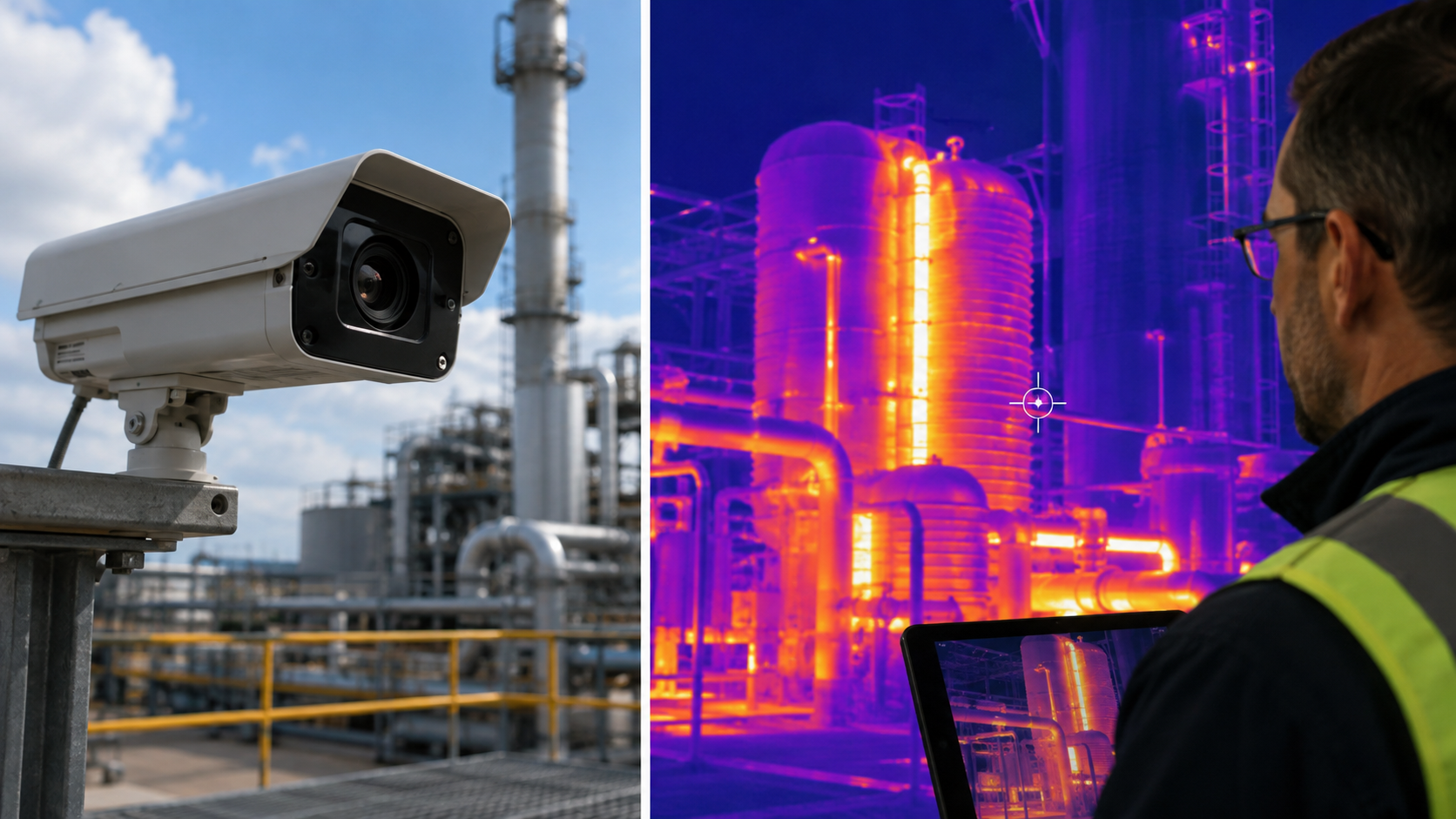
Category: Video Surveillance & Imaging

Cameras, video management software (VMS), AI video analytics and imaging technologies used to monitor and secure physical spaces.

  • Federal Judge Rules Warrantless Flock Safety License-Plate Search Violated Fourth Amendment

    Federal Judge Rules Warrantless Flock Safety License-Plate Search Violated Fourth Amendment

    A federal judge in the Northern District of Oklahoma has ruled that a Tulsa County sheriff’s deputy violated the Fourth Amendment by conducting a warrantless search of historical vehicle-location data through Flock Safety’s automated license plate reader (ALPR) network, according to TechCrunch and Yahoo News.

    The Ruling

    In United States v. Melisa Susan Kyle, U.S. District Judge Sara E. Hill found that a deputy searched Flock Safety and VehicleManager systems without a warrant after noticing the defendant’s out-of-state plates, retrieving more than 50 location records spanning roughly a month of travel across multiple states. Judge Hill described the platform as “a tool that collects information about all vehicles that pass by any network-connected camera at all times, and it serves up the information to law enforcement on demand,” calling the practice “a type of indiscriminate mass surveillance.” She ordered evidence obtained after the search, reportedly including a subsequent discovery of narcotics, suppressed.

    Limited but Notable Precedent

    The decision binds only federal courts within Oklahoma’s jurisdiction and conflicts with the Fifth Circuit’s earlier ruling in United States v. Porter, which found ALPR use did not constitute a Fourth Amendment search. Still, it is among the first federal rulings to find a Flock Safety database query unconstitutional, as the company faces mounting scrutiny over data retention and warrantless access by law enforcement nationwide.

    Flock Safety has not been named as a party in the case, and the ruling does not address the company’s broader network or policies directly. More video surveillance developments are tracked in the SectechMedia Technology News archive.

    Sources

  • Loitering and Dwell-Time Analytics: How Video Systems Flag Suspicious Lingering

    Loitering and Dwell-Time Analytics: How Video Systems Flag Suspicious Lingering

    Loitering detection asks a deceptively simple question of a video stream: has this object stayed inside a defined area longer than it should have? Unlike motion detection, which fires on any movement, or line-crossing, which fires on a single transition, dwell-time analytics require the system to track an object continuously across frames, hold a running clock against it, and compare that clock to an operator-defined threshold tied to a specific zone. The output is not a snapshot event but a judgment about behavior over time, which is what makes it useful for flagging reconnaissance near a fence line, a vehicle idling in a loading zone, or a person waiting near a cash machine after hours.

    The practical tradeoff sits between sensitivity and alarm volume. A short dwell threshold on a tightly drawn zone catches loitering quickly but also catches people who are waiting for a ride, smoking, or using a kiosk, producing alarms that security staff learn to ignore. A long threshold with a loosely drawn zone misses the early window when a response would matter most, such as the minutes before a break-in or an assault. Because the underlying detection is still just object tracking plus a timer, the quality of the outcome depends almost entirely on configuration choices made during commissioning rather than on the sophistication of the algorithm itself.

    How Dwell-Time Detection Actually Works

    Most edge and server-based implementations follow the same basic pipeline: a detector classifies and tracks objects (person, vehicle, or generic blob) frame to frame, a polygon or set of polygons defines the zone of interest, and a per-track timer increments while the object’s position remains inside that polygon. When the elapsed time exceeds the configured threshold, the system raises an event, typically carried as ONVIF metadata or a proprietary API callback to the video management system (VMS). ONVIF formalizes this as the Loitering Detector rule within its Analytics Service Specification, which pairs an area filter with a time parameter and emits a rule-engine event when the condition is met. Axis implements the same concept commercially through AXIS Loitering Guard and the “Time in area” scenario in AXIS Object Analytics, both of which track moving objects against a drawn area and trigger once the configured dwell time elapses.

    A second, closely related technique is zone-based people counting and occupancy analytics, which uses line-crossing counters at zone boundaries to maintain a running occupancy figure rather than per-object dwell times. ONVIF’s Occupancy Counting rule works this way, incrementing and decrementing a counter as tracked objects cross barrier line segments around an enclosure. Occupancy counting is better suited to queue management and capacity limits than to individual loitering alarms, but the two approaches are frequently combined: occupancy data flags when a zone is unexpectedly busy for the time of day, while per-object dwell timers flag individual lingering within it.

    Configuration and Tuning Considerations

    Three settings dominate real-world accuracy. First, zone geometry: include and exclude areas should be drawn tightly around the behavior of concern and should exclude areas with legitimate dwell activity, such as benches, smoking areas, or delivery bays, that would otherwise sit inside the monitored polygon. Second, perspective or depth calibration: because a camera’s field of view compresses distance, most loitering applications include a calibration or “perspective” tool so the system can estimate real-world object size and filter out detections that are implausible for a person or vehicle at that depth, which materially reduces false triggers from distant background motion. Third, the dwell threshold itself, which should be set against observed normal behavior in that specific zone rather than a default value, since five seconds near a cash machine and five minutes near a loading dock represent very different baselines.

    Most platforms also support multiple profiles on the same camera, for example separate day and night configurations, or different thresholds for different sub-areas of one scene, each generating independent alarms. Object-class filtering (person versus vehicle versus unclassified) and basic environmental filters for swaying foliage, shadows, or small animals are standard tuning levers that reduce nuisance alarms without touching the dwell logic itself. For the broader alarm architecture, see SectechMedia’s guide to video analytics and false alarms, which covers alarm-verification workflows that pair well with dwell-time triggers.

    Common Failure Modes and Limitations

    Loitering analytics fail in predictable ways. Occlusion and track loss are the most common: if a tracked person briefly passes behind a pillar, vehicle, or another pedestrian, some implementations reset the dwell timer when the track is lost and reacquired, allowing a determined subject to reset the clock simply by stepping in and out of partial cover. Group merging is another known issue, where overlapping individuals in a crowd are tracked as a single blob, which can either suppress an alarm (if the group’s combined presence reads as one short-duration object) or cause one persistent group-level alarm that security staff cannot easily resolve to an individual.

    Lighting and contrast changes, including headlight sweep at night, shadows moving with the sun, and reflections on wet pavement, can degrade the underlying object detector enough to cause intermittent tracking, which in turn produces either missed dwell events or short-lived false ones. Edge-based analytics are also sensitive to camera mounting: a low, oblique angle that was never calibrated for perspective will systematically misjudge object size and distance, which is why vendor documentation consistently recommends specific mounting height and angle ranges for reliable detection. Finally, dwell-time logic by itself cannot distinguish intent; it only measures elapsed presence inside a polygon, so it will alarm on a delivery driver waiting for a signature exactly as readily as on someone casing a property, which is why these alarms are typically treated as a prompt for human or video-verified review rather than an automatic response trigger.

    Integration With Broader Security Systems

    On their own, dwell-time events are only useful if they reach a system that can act on them. The common path is for the camera or encoder to publish the event as ONVIF metadata or through a vendor API to the VMS, which then maps it to an operator alarm, a recording bookmark, or an automated response such as a PA announcement or lighting activation. Axis documentation describes exactly this pattern, where the loitering application integrates with the device’s event management functions so a VMS or access control platform can trigger automatic responses. ONVIF’s Profile M extends this further by standardizing metadata and event interfaces for analytics applications, including object counting and area-based rules, so that cameras and VMS platforms from different vendors can exchange this data without proprietary integration work. In larger deployments, dwell-time and occupancy metadata also feed PSIM platforms and business-intelligence dashboards, where the same raw signal used for a security alarm doubles as queue-length or space-utilization data for operations teams.

    Commissioning Checklist

    • Draw include/exclude zones tightly around the actual behavior of concern, excluding benches, smoking areas, and other legitimate-dwell locations
    • Run the camera’s perspective or depth calibration tool so object-size filtering matches real-world scale at the zone’s distance from the lens
    • Set dwell thresholds against observed normal activity for that specific zone and time of day rather than using default values
    • Create separate day/night or time-based profiles where lighting conditions differ significantly across the same field of view
    • Test with actual foot traffic patterns, including occlusion scenarios (people passing behind fixed objects), before go-live
    • Confirm the event path end-to-end: camera or encoder metadata, VMS alarm mapping, and any downstream automated response
    • Document mounting height, angle, and lens settings used during calibration so future maintenance can detect configuration drift

    References

  • DMP Launches VK VMS Cloud Video Platform With New AlarmVision Subscription Tiers

    DMP Launches VK VMS Cloud Video Platform With New AlarmVision Subscription Tiers

    Digital Monitoring Products (DMP), a Springfield, Missouri-based security equipment manufacturer, launched VK VMS on Sept. 30, 2026, a cloud-based video management solution that adds live video viewing and on-site device management to the company’s Virtual Keypad platform, according to Security Info Watch and SDM Magazine.

    New Gateway Hardware and Subscription Tiers

    VK VMS is activated through DMP’s new XV Plus Gateway hardware line. The XV Plus-20 supports up to 20 rated camera megapixels with 1 TB of onboard storage, while the XV Plus-80 and rackmounted XV Plus-80R support up to 80 rated camera megapixels with 4 TB of storage. DMP said the gateways are designed to eliminate the need for inbound ports, port forwarding or a separate VPN appliance during installation.

    Alongside the hardware launch, DMP restructured its AlarmVision video-analytics subscription into two tiers, AlarmVision Plus and AlarmVision Pro, separating detection-focused analytics from the new VMS offering. Dealers can now sell VK VMS for surveillance and recording, AlarmVision for motion and object detection, or combine both for continuous recording tied to zone-linked alarm events, the company said.

    Dealer-Driven Flexibility

    Ken Francis, DMP’s executive vice president of video solutions, said the changes respond to dealer feedback on building more cost-flexible video systems. One analytics feature, Dynamic Slicing, preserves full-resolution image detail to support detection at greater distances, and the platform allows searches by clothing, appearance, activity or location rather than manual footage review, per Security Journal Americas.

    DMP sells primarily through alarm dealers and integrators rather than directly to end users, so rollout pace and feature availability may vary by market and dealer. More video surveillance developments are tracked in the SectechMedia Technology News archive.

    Sources

  • Edge Recording and Video Backfill: Closing Gaps After Network Outages

    Edge Recording and Video Backfill: Closing Gaps After Network Outages

    A network video system can lose its connection to the recorder without losing the event itself. Cameras with supported edge storage can continue recording locally and later return missing footage to a video management system. That recovery process is often called video backfill, failover recording or edge-storage synchronization.

    The idea is simple, but dependable operation requires coordinated camera, storage, time, network and VMS behavior. An SD card in a camera does not automatically guarantee that footage will be discovered, transferred and presented correctly after an outage.

    What Edge Recording Protects Against

    Local recording is useful when the camera remains powered but temporarily loses its route to the central recorder. Common causes include switch failure, uplink interruption, recorder maintenance or a WAN outage at a remote site. It does not protect against every failure: loss of camera power, physical destruction, storage-card failure or theft can still remove the local evidence.

    Designers should define the failure modes they intend to cover and avoid describing edge storage as a universal backup. Power resilience and physical protection remain separate requirements.

    How Backfill Works

    During normal operation, the VMS receives live streams and records them centrally. If the connection fails, the camera records to approved local media. When communication returns, the VMS identifies the missing time range, requests the stored recording and merges or indexes it in the evidence timeline.

    ONVIF Profile G defines standardized functions for configuring, requesting and controlling recording from conformant devices. Conformance can improve interoperability, but buyers still need to verify the exact camera, firmware, storage medium and VMS combination. Optional features and vendor-specific behavior can affect the result.

    Time Synchronization Determines Evidence Quality

    Backfill depends on accurate timestamps. If a camera clock drifts during isolation, returned footage may overlap, leave apparent gaps or appear out of order. Cameras, recorders and supporting infrastructure should use a monitored time source, with alerting for excessive drift.

    Commissioning should include a deliberate network interruption long enough to create a visible recording gap, followed by reconnection and timeline review. Operators should confirm that search, export and evidentiary timestamps remain coherent.

    Control Recovery Bandwidth

    When many cameras reconnect together, simultaneous uploads can compete with live video and other operational traffic. Recovery policies should limit concurrency or bandwidth, prioritize critical cameras and consider site uplink capacity. A remote location with a narrow WAN path may require staged transfer over hours rather than immediate synchronization.

    The retention window at the edge must be long enough for the expected outage plus recovery delay. High resolution, high frame rate and complex scenes consume local storage faster, so capacity should be calculated from measured or conservatively estimated bitrates.

    Storage Media Is a Maintained Component

    Use media approved for the camera and expected write workload. Continuous video recording can wear consumer-grade cards quickly, particularly in hot enclosures. Systems should report missing, read-only or failed storage where supported, and maintenance teams should verify those alarms reach a monitored workflow.

    Encryption, card removal and evidence handling also deserve attention. Locally stored footage may contain the same sensitive material as the central recorder, so access control and disposal procedures should cover edge media.

    Commissioning and Operations Checklist

    • Confirm the supported camera, firmware, storage and VMS combination.
    • Measure usable edge retention under representative video settings.
    • Interrupt the network and verify continued local recording.
    • Reconnect and confirm backfill, timestamps, search and export.
    • Test simultaneous recovery without degrading live video.
    • Alert on storage failure, clock drift and prolonged disconnection.
    • Repeat the test after major firmware or VMS upgrades.

    Edge storage should be part of a documented continuity plan, not an unchecked feature box. NIST contingency-planning guidance similarly emphasizes defined recovery requirements, testing and maintenance. For the wider camera, VMS and storage architecture, see SectechMedia’s video surveillance systems guide.

    References

  • Meari IoT Cloud Authorization Flaws Expose Device and Owner Data

    Meari IoT Cloud Authorization Flaws Expose Device and Owner Data

    CISA has warned about two missing-authorization vulnerabilities in the Meari IoT Cloud Platform OpenAPI. The flaws could let an authenticated user cross account boundaries, alter another owner’s device configuration or obtain sensitive device-shadow data.

    What an authenticated attacker could access

    CVE-2026-101104 concerns authorization checks around device configuration. CVE-2026-96613 affects access to the complete device shadow, which CISA says can include device credentials, owner information, network details and telemetry. The advisory lists a maximum CVSS v3 base score of 7.7 and marks all versions as affected.

    The issue is relevant to connected cameras and other cloud-managed devices because the cloud control plane often stores both operational state and credentials. CISA says it is not aware of public exploitation targeting these vulnerabilities.

    No vendor fix was available at publication

    CISA reports that Meari did not respond to coordination attempts and that no fix was planned when the advisory was released. Users are advised to contact the vendor for information. In the meantime, organizations should review whether affected devices are necessary, isolate them from sensitive networks and monitor cloud-account activity for unexpected configuration changes.

    Teams should also rotate exposed credentials where feasible, restrict who can access the management tenant and document an exit plan if risk cannot be reduced. SectechMedia’s video surveillance and imaging coverage explores security considerations for connected camera ecosystems.

    Sources

  • Vendor Proposal Would Add Facial Recognition to Exported Flock Camera Data

    Vendor Proposal Would Add Facial Recognition to Exported Flock Camera Data

    A surveillance software vendor has proposed combining exported Flock Safety imagery with facial-recognition capabilities in a separate evidence platform, according to reporting based on a sales approach to a Tennessee police department. The proposal highlights how data can acquire new analytical uses after it leaves the system that originally collected it.

    The proposed integration is not a deployed Flock feature

    VIDIZMO described bringing Flock data, body-camera footage and other evidence into its Intelligence Hub for search and analysis. The company’s chief executive told reporters that it had not used facial recognition on Flock footage and had not built the specific export tool required for the proposed workflow.

    Flock states that its cameras do not use facial recognition and that its license-plate system searches vehicle characteristics rather than identity. The proposed biometric analysis would therefore occur downstream in another vendor’s environment, not inside Flock cameras or Flock’s own recognition process.

    Data-governance boundaries must survive export

    Agencies evaluating video integrations should define allowed analytics, retention, audit logging and approval requirements before moving evidence between platforms. Procurement controls should address downstream processing as well as the capabilities of the original camera system. SectechMedia follows related developments in its video surveillance and imaging coverage.

    Sources

  • Video Analytics Zone Geometry and Camera Recommissioning

    Video Analytics Zone Geometry and Camera Recommissioning

    Video analytics can continue reporting a healthy service after a camera has moved enough to invalidate its detection zones. Recommissioning should verify scene geometry, target size, occlusion and event routing whenever the view or environment changes.

    Preserve the accepted view

    Keep a reference image showing the approved field of view, horizon, landmarks and zone boundaries. Record lens settings, mounting height, camera angle, resolution, frame rate and analytics version. These values allow a technician to distinguish a scene change from an algorithm change.

    Use tamper detection as an alert, not as the only control. Small shifts, zoom changes or focus adjustments may remain below a tamper threshold while materially changing target pixels.

    Rebuild geometry from the scene

    Confirm that calibration lines, perspective maps and exclusion zones align with current physical features. Walk the near, middle and far parts of each zone using representative target paths. Verify that the analytics maintains the required object size and classification confidence.

    Check entrances, corners and zone boundaries where a track may appear late or disappear early. Vegetation, parked vehicles and new structures can create occlusion that was absent during acceptance.

    Test operational scenarios

    Run approved intrusion, loitering, direction and line-crossing tests at different speeds and angles. Include more than one person or vehicle where the system is expected to separate targets. Test daylight, low light and scene illumination transitions.

    Record both missed events and nuisance alarms. A tuning change that suppresses shadows but also misses a slow approach is not an acceptable improvement.

    Verify the event chain

    Confirm that every accepted detection reaches the video management system and control-room workflow with the correct camera, zone, timestamp and clip. Measure cue and display latency. If the camera triggers lighting, audio or another sensor, verify those actions without assuming that a local analytics alarm proves integration success.

    Recommissioning should remain part of the wider Video Surveillance & Imaging maintenance plan, with clear ownership for scene changes.

    Control and review changes

    Store before-and-after screenshots, settings exports, test routes and results. Require approval for large sensitivity or zone reductions and keep a rollback copy. Repeat a representative test after firmware, model, VMS or network updates, and schedule periodic checks for cameras exposed to vibration, construction or seasonal vegetation.

    Measure post-change stability

    Observe the camera through representative operating periods after recommissioning. Compare alarm volume, classification mix and operator dispositions with the accepted baseline. A short walk test cannot reveal every moving shadow, headlight reflection or recurring obstruction.

    Assign unresolved blind areas and nuisance sources to named owners. Where geometry cannot be corrected, document compensating coverage and its limitations. Close the recommissioning record only after both controlled detection tests and a defined observation period have passed.

    Document the final field of view and approved test date.

    Reference sources

  • Thermal Camera Reference Validation and Measurement Drift Testing

    Thermal Camera Reference Validation and Measurement Drift Testing

    A thermal camera can produce a stable image while its reported temperatures gradually move away from the accepted reference. Commissioning and maintenance should therefore test the complete measurement chain rather than judging image quality alone.

    Define the intended measurement task

    Start by documenting whether the camera is used for relative hot-spot detection, threshold alarms or traceable temperature measurement. These are different tasks. A system intended only to highlight warmer objects may not need the same reference procedure as a process-protection alarm.

    Record the camera model, lens, mounting distance, field of view, firmware, measurement range and alarm rules. Preserve the approved emissivity, reflected-temperature and atmospheric settings. A changed parameter can shift readings without any physical change at the target.

    Use a controlled reference

    Place an appropriate temperature reference in the scene and allow it to stabilize. The reference should cover the temperatures important to the application and occupy enough pixels for a repeatable measurement. Compare the camera result with the reference value at several points rather than relying on one threshold.

    Where formal traceability is required, use calibrated equipment and retain its certificate, uncertainty and due date. A convenient warm object is useful for a functional check but is not a calibration reference.

    Control environmental variables

    Measure ambient temperature, viewing angle, distance and any window or protective enclosure between the camera and target. Dust, moisture, solar loading and reflections can alter apparent temperature. Verify that automatic gain or image-enhancement settings do not affect the radiometric measurement channel.

    Repeat tests after the enclosure reaches operating temperature and under representative day and night conditions. For outdoor systems, include seasonal extremes and check whether background reflections move the alarm point.

    Trend drift and alarm performance

    Record reference error, image location, alarm response time and pass limits. Trend results across maintenance visits so gradual drift is visible before it causes missed or nuisance alarms. When error exceeds the approved tolerance, investigate settings and environment before applying software offsets.

    After service or replacement, repeat the full alarm sequence, event recording and control-room notification. Thermal-camera assurance belongs within broader Video Surveillance & Imaging governance, with separate records for image quality and temperature performance.

    Keep the test reproducible

    Store reference placement drawings, camera screenshots, raw readings, weather observations and instrument identifiers. State whether the result is a field verification or a formal calibration. This distinction prevents future teams from assigning more confidence to the measurement than the evidence supports.

    Classify and close deviations

    Separate configuration errors, reference uncertainty, environmental effects and suspected sensor drift. Assign corrective work to the responsible owner and repeat the same reference points after intervention. Do not close a deviation only because an alarm threshold was widened.

    Review recurring errors across similar cameras and locations. A common offset may indicate a shared enclosure, firmware or commissioning issue. Keep acceptance limits tied to the operational hazard so maintenance teams know when a camera can remain in service and when it must be removed for laboratory evaluation.

    Reference sources

  • US Justice Department Selects ROC Platform for Digital Evidence and Video Analytics

    US Justice Department Selects ROC Platform for Digital Evidence and Video Analytics

    The US Department of Justice has selected ROC technology to support a digital-evidence review platform used in federal criminal investigations, according to a September 28 report by Biometric Update. The contract combines evidence ingestion and review with facial recognition and other video-analytics capabilities.

    The platform is intended for mixed digital evidence

    The reported scope includes e-discovery material from sources such as mobile devices and social-media accounts. ROC is responsible for developing and supporting the platform used to ingest, review and analyze that information. The company describes the award as a one-year base contract followed by optional annual extensions.

    Biometric Update reported a guaranteed base value of $7 million and a possible value of $64.3 million if all options are exercised. Those optional years are not guaranteed spending and should not be treated as the current contract value.

    Evidence workflows require more than recognition software

    Large investigative systems need access controls, audit trails, retention rules, model-performance monitoring and reproducible evidence exports. Facial recognition can narrow review workloads, but candidate results require trained human assessment and documented handling rather than automatic identity conclusions.

    Procurement teams should also test image quality limits, demographic performance, false-positive handling and chain-of-custody controls before operational acceptance. The award sits at the intersection of Video Surveillance & Imaging and digital forensics, where analytics must preserve evidentiary integrity as well as search speed.

    Sources

  • CCTV Evidence Export Validation and Chain-of-Custody Testing

    CCTV Evidence Export Validation and Chain-of-Custody Testing

    A video export is useful evidence only if authorized recipients can open it, understand its timing and show that it has not changed. Testing should begin before an incident, using the same recorder, client software and removable-media controls that operators will use under pressure.

    Define the export package

    Document which files the system produces: native video, standard-format copies, player software, metadata, checksums and audit logs. A proprietary file may preserve more metadata than a converted clip, while a standard-format copy may be easier for external reviewers. Where policy permits, retain both and record their relationship.

    Include camera name, channel ID, export start and end time, recorder time zone and the operator account used. If the system overlays timestamps, confirm whether the same timing data also exists as metadata. An overlay alone does not explain daylight-saving changes or clock corrections.

    Test playback away from the recorder

    Move the package to a clean workstation that does not have the normal VMS client installed. Confirm that the supplied player launches under approved security controls and that every channel plays through the requested interval. Check seeking, frame stepping, audio where legally authorized and the ability to capture a still without changing the source files.

    Validate codec dependencies and operating-system requirements. A successful playback test on the export operator’s workstation is not enough if police, legal teams or insurers use a different environment.

    Record integrity and custody

    Calculate a cryptographic hash for each exported file and record it in the evidence form. Recalculate after transfer to demonstrate that the copy matches. Restrict write access, use unique evidence identifiers and document each person or system that receives custody.

    The custody record should include date, time, purpose, media identifier, sender and recipient. If a working copy is transcoded or redacted, preserve the original and create a new hash and activity record for the derivative.

    Exercise the complete workflow

    Run periodic drills that start with an incident time and end with independent playback and custody acceptance. Include a camera with a time offset, a long export spanning multiple files and a failed removable medium. These conditions reveal whether operators know how to document exceptions.

    Evidence export assurance belongs within broader Video Surveillance & Imaging governance. Retest after VMS upgrades, storage migration, codec changes or identity-management changes, and keep the accepted procedure under version control.

    Maintain export readiness

    Assign ownership for player validation, removable-media stock, workstation hardening and evidence forms. Review a sample export at scheduled intervals rather than waiting for a major incident. Record the recorder version, client version and player hash so a later investigation can reproduce the accepted environment.

    When an export fails, classify the cause as missing footage, corrupt media, codec incompatibility, authorization failure or operator procedure. Track corrective actions to closure and repeat the complete test. A successful retest should include both technical playback and custody documentation.

    Reference sources