Author: Osiris

  • Dataminr Launches Agentic AI Tools for Corporate Security Threat Assessment

    Dataminr Launches Agentic AI Tools for Corporate Security Threat Assessment

    Dataminr launched Dataminr Advanced for Corporate Security at GSX 2026 in Atlanta, adding three artificial intelligence capabilities intended to help security teams assess threats to personnel, facilities and operations, according to Security Today. The company is demonstrating the platform at booth 1560 during the September 14-16 event at the Georgia World Congress Center.

    The release includes Agentic Corroboration, which gathers information to help verify developing events, and Agentic Context, which searches publicly available information and Dataminr’s event archive for material related to an incident. A third capability, Near-Term Predictive Intelligence, analyzes the company’s historical event archive to forecast how an emerging threat could develop.

    Dataminr said all three capabilities are now generally available and integrate with its existing real-time alerting system and ReGenAI Live Briefs feature. The company said the system draws on more than 60 task-specific large language models trained on an event archive spanning more than a decade, with multimodal technology capable of processing text, images, video and audio.

    Why it matters

    Corporate security operations centers are increasingly judged on how fast they can verify a developing event, not just detect it; agentic corroboration tools aim at that verification bottleneck specifically, though outcomes will depend on false-positive rates in real deployments.

    Sources

  • Honeywell Showcases LenelS2 Access Control and AI-Driven Security Integration at GSX 2026

    Honeywell Showcases LenelS2 Access Control and AI-Driven Security Integration at GSX 2026

    Honeywell Technologies is presenting updates across its physical security portfolio at GSX 2026 in Atlanta, including access control, video management, visitor processing and security operations systems, according to Security Today.

    The company is demonstrating LenelS2 OnGuard v8.4 integrated with Milestone’s video management system, connecting access control with video and other third-party security platforms, alongside LenelS2 NetBox v6.4 paired with a 35 Series embedded network video recorder. Honeywell is also showing Pro-Watch v6.6 SP1 with MAXPRO VMS R795 SP3 for managing access control and video across local, regional or global operations, and cloud-based tools including LenelS2 Elements and an integration with Rhombus that combines cloud video, access events and artificial intelligence analytics in one interface.

    Additional exhibits include LenelS2 BlueDiamond readers and mobile credentials, SINE visitor and contractor check-in tools, and camera lines spanning low-light, dual-sensor, outdoor and bi-spectrum models. Honeywell is previewing its LenelS2 Adaptive Intelligence Suite with Forge Cognition, which integrates video, access control, fire detection and building data with artificial intelligence functions for event validation and false-alarm detection.

    Why it matters

    The push to unify access control, video and fire data behind one AI layer reflects a broader industry trend toward consolidated operations platforms rather than siloed subsystems, with false-alarm reduction as an early, measurable use case.

    Sources

  • CISA Flags Critical Authentication Flaw in mySCADA myPRO Manager Used in Water, Energy Systems

    CISA Flags Critical Authentication Flaw in mySCADA myPRO Manager Used in Water, Energy Systems

    CISA released an advisory on September 15 warning of two vulnerabilities in mySCADA myPRO Manager, industrial control software from Czechia-based mySCADA Technologies that is deployed worldwide across the critical manufacturing, energy, food and agriculture, transportation, and water and wastewater sectors.

    The more severe flaw, CVE-2026-73807, carries a CVSS v3.1 score of 9.8, near the maximum critical rating. CISA said the myPRO Manager command application programming interface fails to properly enforce authentication for privileged functions, meaning an unauthenticated attacker with network access to the API could reach privileged management capabilities without credentials. A second flaw, CVE-2026-82567, allows an unauthenticated attacker to send arbitrary SMS messages through a GSM modem connected to the software’s notification gateway.

    mySCADA Technologies has addressed both issues in myPRO Manager version 2.2 and is notifying connected users of the update, according to the advisory. The vulnerabilities were reported to CISA by Shirshak Secnora OU. CISA said it has not observed public exploitation of the flaws to date but urged operators to minimize internet exposure of control system devices, isolate them behind firewalls, and use virtual private networks for any required remote access.

    Why it matters

    myPRO Manager sits inside operational technology environments spanning energy, water and transportation, where an unauthenticated privilege gap can translate directly into physical-process risk. Asset owners should apply version 2.2 and re-confirm remote-access paths rather than assume perimeter isolation is already in place.

    Sources

  • CISA Warns of Critical Flaws in Digital Watchdog VMAX Video Recorders

    CISA Warns of Critical Flaws in Digital Watchdog VMAX Video Recorders

    The Cybersecurity and Infrastructure Security Agency (CISA) published an advisory on September 15 detailing six vulnerabilities in Digital Watchdog’s VMAX A1 G4 and VMAX IP G4 digital and network video recorder lineups, including its VA1G4 and VG4 recorder models. According to CISA, successful exploitation could grant an attacker full administrative control of an affected device, enabling access to live and recorded surveillance footage, alteration of device configurations, and use of the recorder as a pivot point into a broader network.

    Two of the flaws, tracked as CVE-2026-66890 and CVE-2026-66887, received a CVSS v3.1 severity score of 9.6 out of 10, in the critical range. CISA said the issues include missing authentication for critical functions, use of hard-coded credentials, missing authorization checks on state-changing requests, and a predictable random-number generator used to create session tokens. The vulnerabilities were reported to CISA by researcher Scot Berner of TrustedSec.

    Digital Watchdog products are deployed worldwide across commercial facilities, government buildings, healthcare and transportation sites, according to CISA’s sector tagging. The company has released updated firmware addressing the vulnerabilities, available through its website, CISA said. The agency recommends isolating control system devices from the internet and placing them behind firewalls, and noted that no public exploitation of the flaws has been reported to date.

    Why it matters

    Recorders sit at the center of a facility’s video evidence chain; a fully compromised DVR/NVR can expose live and archived footage and serve as a foothold into the wider network. Operators running affected VMAX models should prioritize the firmware update and confirm the devices are not internet-exposed.

    Sources

  • Network Redundancy for IP Security Systems: Failover Without Blind Spots

    Network Redundancy for IP Security Systems: Failover Without Blind Spots

    IP cameras, access controllers, intercoms and analytics depend on the network as a shared transport layer. Redundancy can reduce a single point of failure, but duplicated hardware alone does not guarantee continuity. The design must define what service survives, how quickly it returns and what evidence exists after the switchover.

    Define the Required Service

    A camera may continue recording to local storage while live viewing is unavailable. A door controller may enforce cached permissions even when the central server is offline. Write resilience requirements in operational terms: recording continuity, alarm delivery, credential decisions, voice communication and investigation access.

    Map Failure Domains

    Two links routed through the same conduit are vulnerable to one cable cut. Two switches powered by the same unprotected circuit share an electrical failure. Trace power, fiber, copper, wireless backhaul, server, storage, DNS and identity dependencies to find common points that a simple network diagram may hide.

    Path and Device Redundancy

    Critical aggregation points may use diverse paths, resilient switching and redundant power. Servers and storage can use clustering or replicated services, but compatibility with the VMS or access-control platform must be tested. Avoid assuming that generic network failover automatically preserves application sessions or video streams.

    Edge Continuity

    Local camera recording and controller decision caches can bridge a central outage. Recovery behavior matters: the system should reconcile events and recordings without overwriting evidence or creating duplicate alarms. Monitor synchronization queues and storage capacity before an outage occurs.

    Test Degraded Modes

    Commissioning should disconnect links, stop services and remove power in controlled scenarios. Confirm what operators see, which alarms arrive and how recovery is logged. Planned tests often reveal slow routing convergence, missing licenses, certificate dependencies or manual steps that were absent from design documents.

    Practical Checklist

    • State which security functions must survive each failure.
    • Separate physical routes and power sources where required.
    • Verify edge recording and cached access decisions.
    • Monitor failover state and reconciliation queues.
    • Repeat tests after firmware, topology or platform changes.

    Conclusion

    Useful redundancy is measured by preserved security outcomes, not duplicated boxes. Mapping shared dependencies and testing real failure modes produces a system that degrades predictably instead of creating silent blind spots.

    Reference sources

  • Security Control Room Ergonomics: Designing for Operator Attention

    Security Control Room Ergonomics: Designing for Operator Attention

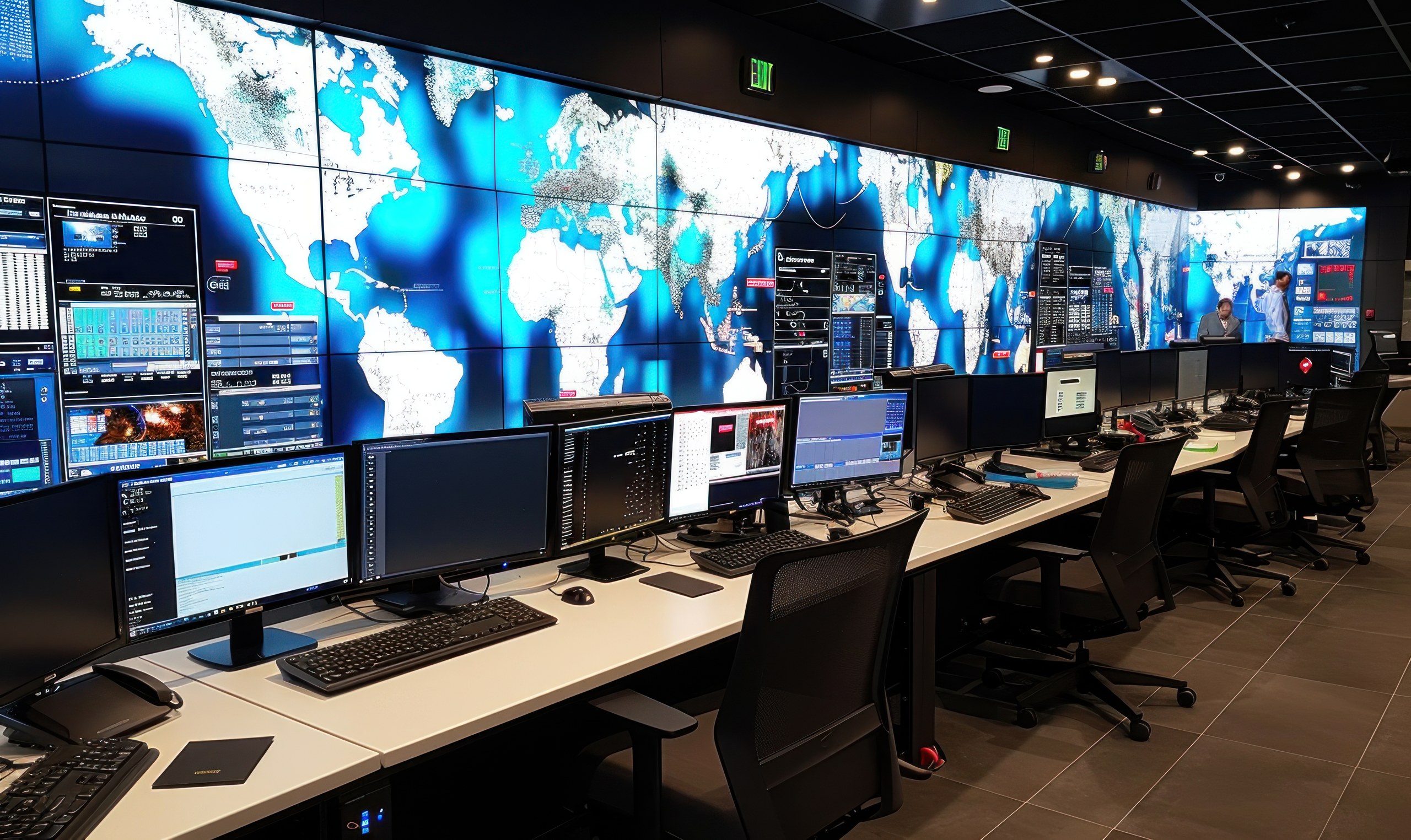
    A security control room can contain excellent cameras and analytics yet still perform poorly if operators cannot interpret alarms, reach controls or maintain attention across a shift. Ergonomics connects technology, workplace design and operating procedure so that information arrives in a form people can act on.

    Design Around Tasks, Not Displays

    Begin with the decisions operators make: verifying an alarm, dispatching a response, controlling a door or preserving evidence. Place frequently used information and controls within comfortable sight and reach. A large video wall can support shared awareness, but it should not become a decorative surface filled with feeds no one can meaningfully monitor.

    Alarm Presentation and Workload

    Prioritize alarms by consequence and required response. Repeated nuisance alerts create habituation, while too many simultaneous sounds and pop-ups compete for attention. Alarm rationalization should remove duplicates, define ownership and give the operator enough context to choose the next action.

    Lighting and Acoustics

    Control reflections on screens and avoid extreme contrast between displays and the room. Provide adjustable task lighting for written work. Acoustic design should keep radio, telephone and alarm audio intelligible without making the space continuously noisy.

    Workstation Layout

    Adjustable seating, monitor height and input-device placement reduce fatigue and allow different operators to use the same position. Critical controls should be identifiable and protected against accidental activation. Shared work should have clear handover points and unobstructed communication between roles.

    Resilience and Emergency Use

    The UK Health and Safety Executive notes that control-room design should address both ergonomic operation and the room’s ability to support control during foreseeable hazardous events. Security facilities likewise need backup power, communications, evacuation arrangements and an alternate operating position where risk requires one.

    Commissioning With People

    • Run realistic alarm scenarios with actual operators.
    • Measure acknowledgement and decision time, not only system response.
    • Review nuisance alarms and workload by shift.
    • Test handovers, escalation and degraded-mode procedures.
    • Reassess layout when systems or responsibilities change.

    Conclusion

    Control-room ergonomics is operational engineering. A task-led layout, disciplined alarm strategy and realistic human testing help operators notice the right event, understand it and act before technology-generated information becomes noise.

    Reference sources

  • Video Evidence Chain of Custody: Export, Hashing and Audit Trails

    Video Evidence Chain of Custody: Export, Hashing and Audit Trails

    Surveillance footage becomes evidence only when an organization can explain where it came from, how it was exported, who handled it and whether it changed. Image quality matters, but a clear chain of custody is what allows another person to evaluate the recording’s integrity and context.

    Preserve the Original Context

    Record the camera identifier, system name, location, requested time window and timezone. Note any known clock offset. Export enough time before and after the incident to show context, while preserving the original recording in the VMS according to retention policy and legal instructions.

    Use a Controlled Export Process

    Limit export privileges to authorized users and make the VMS audit their actions. Where possible, create both a native export with metadata and a standard playable copy for review. Native formats may preserve signatures, timestamps and camera information that a transcoded clip loses.

    Hashing and Integrity

    A cryptographic hash provides a repeatable fingerprint of a file. Calculate it when the export is created, record the algorithm and value, and verify it after copying or transfer. A matching hash supports file integrity; it does not by itself prove that the original camera view or system clock was accurate.

    Handling Log

    Maintain a log of every transfer, including date, person, purpose, source and destination. Use controlled storage with access records. Avoid passing the sole copy through consumer messaging services that may recompress video or remove metadata.

    Playback and Disclosure

    Include required player software or documented instructions for native files, and test the package on a separate workstation. Redact faces or private areas only in a derivative copy, preserving the unredacted original under appropriate controls. Document every transformation.

    Practical Checklist

    • Confirm camera, time window, timezone and clock offset.
    • Export native and review formats where appropriate.
    • Hash files at acquisition and after transfer.
    • Log custody, access and each derivative.
    • Test playback before releasing the package.

    Conclusion

    A chain of custody is a process, not a watermark. Consistent export records, integrity verification, controlled storage and documented derivatives make video easier to investigate and more defensible when decisions depend on it.

    Reference sources

  • PoE Power Budgeting for Security Cameras and Access Control

    PoE Power Budgeting for Security Cameras and Access Control

    Power over Ethernet simplifies security installations by carrying data and electrical power over the same structured cabling. Simplicity at the endpoint can hide a system-level constraint: the switch or injector still has a finite power budget, and the connected load changes with heaters, infrared illumination, motors and door hardware.

    Start With the Powered Device

    Use the manufacturer’s declared power class and maximum consumption for each camera, reader, intercom or controller. A camera that draws modest power in daylight may require more when infrared LEDs, a heater, a wiper or pan-tilt-zoom motors operate. Design against the credible maximum operating state, not the average shown on a quiet bench.

    Separate Port Capacity From Total Budget

    A switch can support a particular power level on an individual port while lacking enough total capacity to deliver that level on every port simultaneously. Add the endpoint requirements, reserve capacity for startup and future change, and check the power supply actually fitted to the switch. Modular switches may have different budgets depending on installed supplies.

    Cabling and Distance

    Voltage loss rises with cable resistance. Use compliant cabling, connectors and installation practice, especially for long outdoor runs or bundles exposed to heat. Extenders and intermediate devices add their own consumption and failure points. For distant perimeter equipment, local fiber plus a properly protected remote power source may be more resilient than stretching copper beyond its intended design.

    Backup Power Changes the Calculation

    If the security network must operate during a mains failure, the UPS has to support both network electronics and the PoE load. Runtime calculations should include worst-case device demand and conversion losses. Load-shedding priorities can preserve critical entrances and cameras while disabling lower-priority devices.

    Commissioning Tests

    • Verify negotiated power class and actual draw at each port.
    • Force night mode, heaters and moving mechanisms where practical.
    • Test restart behavior after a complete power interruption.
    • Confirm UPS runtime with the operational PoE load.
    • Set monitoring alerts for overload, port denial and supply failure.

    Conclusion

    PoE reliability depends on more than selecting a switch with enough ports. A defensible design matches endpoint maxima, total supply capacity, cable conditions and backup-power objectives so security devices remain available during the operating states that create the greatest demand.

    Reference sources

  • Time Synchronization in Physical Security Systems: Why NTP Matters

    Time Synchronization in Physical Security Systems: Why NTP Matters

    A camera records motion at 14:03, an access-control panel logs a door opening at 14:01, and an intrusion sensor reports an alarm at 14:05. If those clocks are drifting, investigators cannot reliably determine whether the events belong to one incident. Time synchronization is therefore a security control, not a cosmetic system setting.

    Why a Common Clock Matters

    Video, access, intrusion, intercom and building systems create separate event streams. A common time source allows a management platform to reconstruct sequence, correlate alarms and support an audit trail. NIST guidance on log management treats consistent timestamps as part of useful event records, while NTP is the widely deployed protocol for synchronizing networked clocks.

    Designing the Time Architecture

    Define approved time sources, then make intermediate servers or controllers distribute time to field devices. Avoid letting every camera or panel reach arbitrary internet servers. Critical sites may use redundant internal sources backed by a trusted external reference. Network rules should allow only the required protocol paths.

    Time Zones and Daylight Saving

    Store or correlate events in a stable reference such as UTC, while displaying local time to operators. Document how daylight-saving changes are handled. Otherwise, repeated or skipped local times can make exported evidence ambiguous.

    Drift and Failure Monitoring

    Synchronization can fail silently because of blocked traffic, configuration errors, expired credentials or a device reset. Monitor offset, source reachability and last successful synchronization. An alarm threshold should reflect the investigative needs of the site rather than an arbitrary universal value.

    Security Considerations

    A false time source can disrupt logs and certificate checks. Use authenticated mechanisms where supported, restrict management access and protect the authoritative servers. Record configuration changes so an investigator can establish whether a clock was trustworthy during an incident.

    Operational Checklist

    • Maintain an inventory of devices and their configured source.
    • Use redundant, monitored time servers for critical systems.
    • Test exported video and access reports for consistent timestamps.
    • Document UTC, local-time and daylight-saving behavior.
    • Include clock health in commissioning and maintenance.

    Conclusion

    Time synchronization turns isolated records into a defensible event sequence. Treating NTP architecture, clock monitoring and timezone handling as part of commissioning prevents avoidable uncertainty when operators and investigators need the record most.

    Reference sources

  • CBP Seeks Walk-Through Facial Comparison Systems for 38 Airport Terminals

    CBP Seeks Walk-Through Facial Comparison Systems for 38 Airport Terminals

    U.S. Customs and Border Protection has issued a solicitation for biometric capture lanes intended to photograph Global Entry travelers while they continue walking through airport arrival areas. The procurement covers 38 terminal installations at 30 airports, including several sites with more than one terminal.

    The requested system would capture and transmit facial images while CBP’s Traveler Verification Service, or a successor government platform, performs matching and identity adjudication. Public documents describe a movable archway or comparable structure with cameras, lighting where needed and protected electrical and data wiring.

    The solicitation contains availability, throughput and image-quality requirements, but it does not publish an estimated contract value. It also includes privacy, civil-rights, data-security and AI risk-management conditions; those requirements are procurement terms, not evidence that a system has already been selected or deployed.

    Why it matters

    Continuous-flow biometrics may reduce passenger stops, but they shift design pressure to capture quality, exception handling and transparent governance. Airport operators need to plan for travelers who cannot be matched as well as those cleared automatically.

    For wider context, see SectechMedia’s related technical coverage.

    Sources