Category: Articles & Analysis

Long-form guides, explainers, comparisons, analysis and sector assessments.

  • Physical Security Risk Assessments: Threat, Vulnerability and Consequence Analysis

    Physical Security Risk Assessments: Threat, Vulnerability and Consequence Analysis

    Security budgets are finite, and not every threat deserves the same investment. A physical security risk assessment is the structured process of identifying what could go wrong at a facility, how likely each scenario is, and how much damage it would cause, so that security spending targets the risks that matter most rather than whatever equipment a vendor is currently promoting. Done well, it produces a prioritized list of gaps tied to actual consequences; done poorly, it produces a generic checklist that could apply to any building anywhere.

    Threat Identification

    The first step catalogs what a facility actually needs to defend against, which varies enormously by site: a data center worries about unauthorized physical access to server racks and insider threats, a retail location worries about theft and workplace violence, a chemical plant worries about sabotage with public-safety consequences. Threat identification draws on crime statistics for the area, the facility’s own incident history, industry-specific threat intelligence, and simply asking staff what near-misses or concerns they have already observed on site.

    Vulnerability Analysis

    Once threats are identified, vulnerability analysis asks how exposed the facility actually is to each one — walking the perimeter, testing access points, and reviewing whether existing controls (fencing, lighting, cameras, access control, guarding) would actually detect or delay a given scenario, as opposed to simply being present. A door with a card reader is not a control if it is routinely propped open; a camera pointed at a loading dock is not a control if no one monitors the feed or reviews it after an incident.

    Consequence and Criticality

    Not every asset in a facility matters equally, so assessments rank assets and areas by criticality: what happens if this specific space, system, or piece of equipment is compromised? A server room outage might halt operations company-wide, while a supply closet breach is a minor loss. This criticality ranking, combined with threat likelihood and vulnerability, is what lets an assessment produce an actual risk score rather than a flat list of undifferentiated findings.

    The CARVER-Style Prioritization Model

    Higher-consequence facilities often use structured scoring frameworks, descended from the military CARVER method (Criticality, Accessibility, Recoverability, Vulnerability, Effect, Recognizability), to rank assets and scenarios on a consistent numeric scale rather than relying on a single assessor’s subjective judgment. These frameworks force the assessment team to score each factor separately before combining them, which helps surface disagreements about, for example, how accessible a target really is, rather than letting one loud opinion in the room set the final priority.

    From Assessment to Action

    An assessment that sits in a binder changes nothing. The output that matters is a prioritized remediation plan mapping each significant gap to a specific fix, an owner, a cost estimate, and a timeline, with the highest-consequence, highest-likelihood gaps addressed first. Because threats and the facility itself both change over time, most security programs treat the risk assessment as a recurring process, typically annual or after any major incident or facility change, rather than a one-time report.

    Reference sources

  • Key Control and Electronic Key Management Systems Explained

    Key Control and Electronic Key Management Systems Explained

    Every access-controlled building still has mechanical keys somewhere: master keys for maintenance staff, override keys for electronic locks during a power failure, keys to server cabinets, vehicles, or cash boxes that were never converted to card access. Key control is the discipline of tracking who holds which key, when, and why — and electronic key management systems exist because a sign-out clipboard in a supervisor’s office does not scale, and does not produce an audit trail anyone can trust.

    From Lockboxes to Electronic Cabinets

    A basic key control program starts with a locked cabinet and a manual log, but electronic key management cabinets replace that with individually locked key slots, or in higher-security versions, keys physically tethered to an electronic fob that only releases when a valid credential is presented. Each key or fob has a unique identifier the system tracks, so the cabinet knows not just that a key was removed, but which specific key, by whom, and whether it was returned to the correct slot.

    Access Rules and Scheduling

    Electronic systems let administrators define exactly which users can access which keys, and when: a contractor might be authorized to remove a specific key only during scheduled work hours, while a facilities manager retains broader access at any time. Some systems require a second authorized user to approve release of high-value or master keys, and most will trigger an alert if a key is not returned within a defined window, turning a vague policy (“please return keys promptly”) into an enforced and logged rule.

    Integration With Access Control and Asset Management

    Because key cabinets are themselves electronic devices, they increasingly integrate with the same access-control platform managing card readers and door hardware, so a single credential works at both the front door and the key cabinet, and a single audit log covers both. Some cabinets extend beyond keys to manage other high-value or sensitive items — radios, weapons, narcotics box keys in healthcare settings, or fleet vehicle fobs — using the same locker-and-credential model.

    Mechanical Master Keying

    Underneath any electronic layer, most buildings still rely on a mechanical master-key system, where individual keys open specific doors and progressively higher master keys open larger groups of doors. Designing and maintaining that hierarchy is its own discipline: a lost sub-master key can force rekeying an entire wing of a building, which is one of the strongest practical arguments for moving high-consequence keys into an electronic cabinet with a full audit trail rather than leaving them in general circulation.

    Reference sources

  • Two-Way Radio and Communication Systems for Security Teams

    Two-Way Radio and Communication Systems for Security Teams

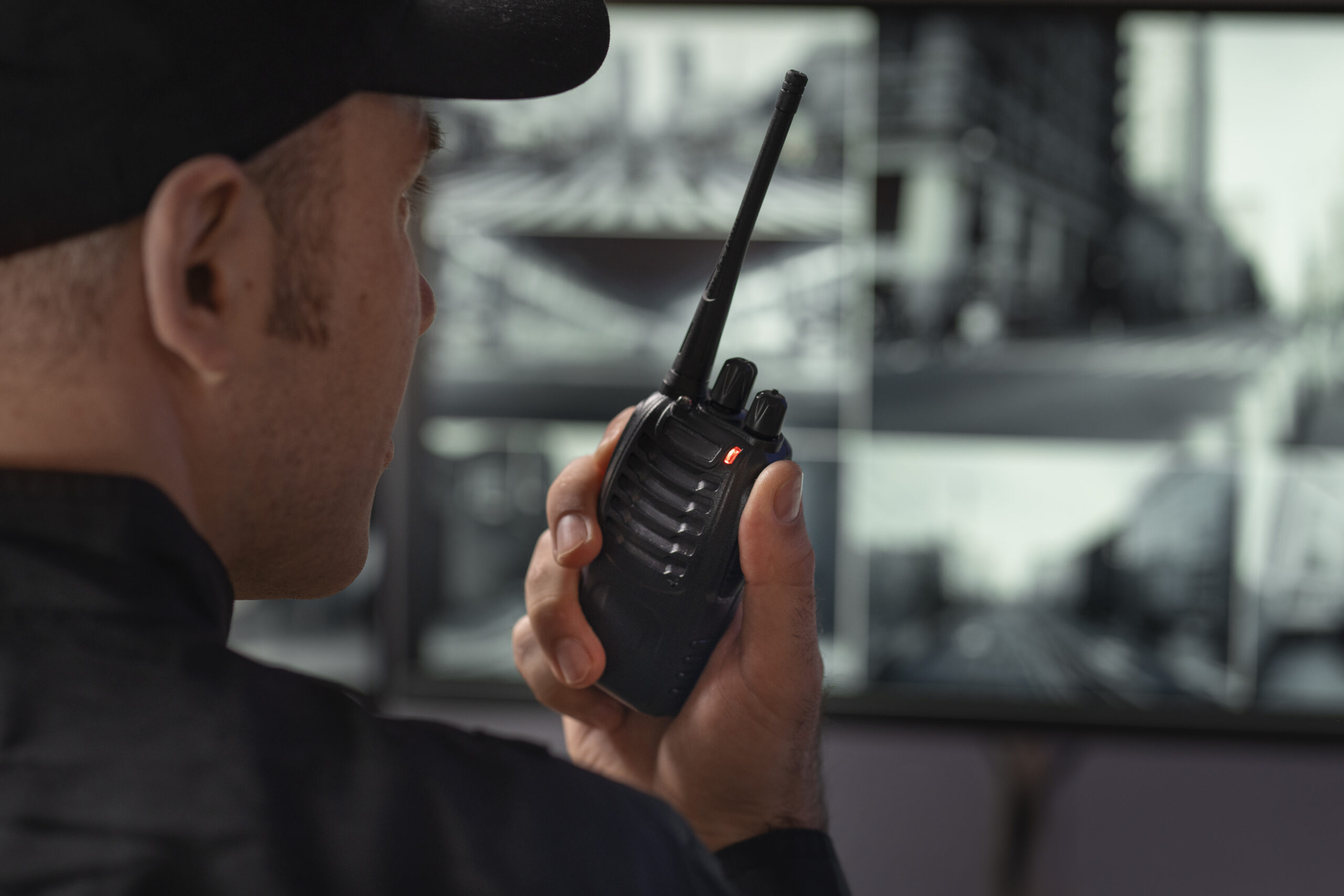
    When a security operations center needs to reach every guard on a property at once, or a guard needs to call for help without dialing a number and waiting for someone to answer, two-way radio still outperforms cellular communication — which is why it remains standard equipment for security teams even in facilities otherwise saturated with smartphones and networked devices. The technology has changed substantially from the analog handhelds of a generation ago, but the core advantage, instant one-to-many communication independent of a carrier network, has not.

    Analog vs. Digital Radio

    Analog radios remain in use for their simplicity and low cost, but digital radio systems, built on standards like P25 (common in North American public safety) or DMR (widely used commercially), offer clearer audio at the edge of range, encryption options, and the ability to carry data alongside voice, such as GPS location or status updates. Digital systems also support trunking, where a pool of radio channels is shared dynamically across many users and talkgroups rather than each group being locked to a single dedicated frequency.

    Talkgroups and Channel Discipline

    Larger security operations organize radio traffic into talkgroups, separate channels for different teams, shifts, or functions, such as patrol, dispatch, and emergency, so that routine chatter does not bury a genuine emergency call. Effective radio discipline (clear callsigns, brief transmissions, a defined process for emergency traffic to interrupt routine use) matters as much as the hardware, since a radio system is only as useful as the protocol governing how people use it under stress.

    Coverage: DAS and Repeaters

    Radio range is limited by building materials, terrain, and radio-frequency interference, which is why large or below-grade facilities often deploy a distributed antenna system (DAS) or repeaters to extend coverage into stairwells, parking structures, and basement levels where a direct radio signal would not reach. Many jurisdictions now require in-building radio coverage systems for first-responder communication as a life-safety code requirement, separate from and in addition to whatever radio system a security team uses day to day.

    Integration With Duress and Dispatch Systems

    Modern radio systems increasingly integrate with software dispatch platforms, letting a control room see which radio units are active, log call history automatically, and trigger a radio-based duress alert that surfaces on a dispatcher’s screen with the reporting unit’s identity and location rather than requiring a verbal report during an active incident. This integration turns the radio network from a simple voice channel into a data source that feeds incident logging and after-action review.

    Interoperability With Public Safety

    Facilities that regularly coordinate with police or fire, such as stadiums, hospitals, and large campuses, often need their radio systems to interoperate with public-safety agencies during a major incident, which typically means supporting shared frequencies, mutual-aid talkgroups, or gateway devices that bridge a private security radio system with a public-safety network without requiring every private-security radio to be reprogrammed on the spot.

    Reference sources

  • Physical Penetration Testing: How Red Teams Assess Physical Security Programs

    Physical Penetration Testing: How Red Teams Assess Physical Security Programs

    A facility can pass every compliance checklist — badges issued, cameras installed, doors alarmed — and still be vulnerable to someone who simply holds a door for a stranger carrying boxes. Physical penetration testing exists to find that gap before an adversary does, by hiring a team to actively attempt unauthorized entry, credential theft, or data exfiltration using the same techniques a real intruder would use, rather than reviewing policies and equipment lists from a desk.

    Scoping and Rules of Engagement

    Every physical penetration test starts with a written scope defining exactly what testers are authorized to attempt, which buildings and hours are in play, and critically, what to do if a tester is confronted or detained — typically a “get out of jail free” letter signed by an authorized executive that testers carry and can present to security or police. Rules of engagement also specify hard limits: most engagements exclude anything that could cause real property damage, injury, or trigger an actual emergency response, distinguishing a controlled assessment from genuine criminal activity.

    Social Engineering and Tailgating

    The most commonly successful technique in physical penetration tests is not defeating a lock but exploiting human courtesy: tailgating through a badge-controlled door behind an employee, posing as a vendor or delivery driver, or simply projecting enough confidence and a plausible cover story that staff assume someone else already verified the visitor. These tests measure whether a facility’s access-control technology is actually being used as designed, since a mantrap or turnstile provides no protection if employees routinely hold the door for anyone walking behind them.

    Lock Bypass and Physical Defeat

    Where technology is tested directly, common techniques include lock picking and bumping on mechanical locks, shimming or manipulating electronic strike hardware, and testing whether door sensors and alarms actually trigger and are actually monitored rather than just installed. Testers also probe less obvious entry points: loading docks, roof access, shared stairwells in multi-tenant buildings, and ceiling tiles or under-floor spaces that can bypass a badge-controlled door entirely.

    Reconnaissance Before the Test

    Serious engagements begin with open-source reconnaissance well before anyone sets foot on site: employee badge photos posted on social media, building floor plans in public permit filings, shift-change patterns visible from a parking lot, and vendor or contractor uniforms that can be replicated. This phase mirrors the reconnaissance a genuine threat actor would conduct and often reveals more exploitable information than the physical test itself.

    Reporting and Remediation

    A physical penetration test is only useful if its findings translate into fixed gaps rather than a list of embarrassing anecdotes. Effective reports document each successful and failed attempt with timestamps and evidence, map findings to the specific control that failed (a policy, a piece of technology, or a training gap), and prioritize remediation by how easily the same technique could be repeated by someone with less skill or access than the test team had.

    Reference sources

  • Elevator and Vertical Transportation Security Technology

    Elevator and Vertical Transportation Security Technology

    In most multi-story buildings, the elevator is the fastest way to move between floors — which makes it both a convenience and a security gap. A lobby with a card reader at the front door does little good if anyone who reaches the elevator bank can ride to any floor once inside. Vertical transportation security addresses that gap through a combination of access control integration, fire-service overrides, and monitoring that has to work even when the building’s normal operating logic is suspended during an emergency.

    Destination Dispatch and Floor Restriction

    The most common access-control integration restricts which floors a rider can select, either by requiring a credential at a lobby turnstile before the elevator call is even registered, or by requiring a card or mobile credential to be presented inside the cab before a floor button will respond. Destination-dispatch systems take this further: a rider enters their destination floor at a lobby kiosk rather than inside the cab, and the system assigns them to a specific car and groups passengers heading to similar floors, which both improves traffic efficiency and gives the access-control system a clean record of who requested which floor before they ever board.

    Firefighter’s Service and Fire Recall

    Every access restriction built into an elevator has to yield to fire-service requirements. Under Phase I recall, activating a fire alarm sends all elevators in the affected bank to a designated landing, typically the ground floor, where they park with doors open until firefighters take manual Phase II control using a key switch inside the cab. This recall function overrides any access-control floor restriction in place during normal operation, and life-safety codes require it to work independent of the building’s access-control system in case that system has failed or lost power.

    Shaft and Machine Room Monitoring

    Beyond passenger-facing controls, elevator machine rooms and shaft access points are themselves targets for tampering, since disabling or manipulating elevator controls can create both a safety hazard and a way to bypass floor restrictions elsewhere in the building. Machine room doors are typically included in the building’s access-control and alarm system like any other restricted space, and some buildings add door-position sensors on shaft access doors at each floor to detect unauthorized entry into the shaft itself.

    Cameras in the Cab

    Camera coverage inside elevator cabs presents a narrower field of view and more variable lighting than open building spaces, which has driven demand for cameras designed specifically for cab mounting — typically compact, ceiling- or corner-mounted units with wide-angle lenses and onboard storage or wireless transmission, since cars moving between floors can briefly lose connectivity to a wired network. Video from cab cameras is used both for incident investigation and, increasingly, for analytics that can flag events like a fall or an altercation in the confined space of a moving car.

    Emergency Communication

    Elevator emergency phones remain a code requirement in most jurisdictions, but the technology behind them has moved from a simple two-way phone line to two-way voice communication systems tied into the building’s broader emergency communication and monitoring platform, often with automatic location identification so a monitoring center knows which car and which building a call originates from without the trapped passenger needing to describe their location.

    Reference sources

  • Mailroom and Package Screening Security Technology

    Mailroom and Package Screening Security Technology

    Every piece of mail and every parcel delivered to a facility is, from a security standpoint, an unverified object entering a controlled environment from the outside world. Most of the time that’s a non-issue. But letter bombs, powder threats, and concealed contraband have made mailroom screening a standard layer of protection at government buildings, financial institutions, corporate headquarters, and other facilities that present an attractive target or handle sensitive operations, in much the same way lobby screening protects a building’s main entrance.

    Isolating the Mailroom From the Rest of the Building

    The starting point for a serious mail screening program is physical isolation. A dedicated mailroom, separated from general building circulation and ideally served by its own ventilation system rather than sharing return air with the rest of the building, limits how far a threat can spread if something makes it past initial screening or activates before screening is complete. Some high-risk facilities go further, screening mail at an off-site or separate structure entirely before cleared items are transported into the main building.

    X-Ray and Trace Detection for Parcels

    X-ray screening of incoming parcels and larger mail items works on the same imaging principle used in other security screening contexts, letting trained screeners identify suspicious density patterns, wiring, or concealed objects without opening the package. This is typically paired with explosive and narcotics trace detection, which samples a package’s exterior for microscopic particle residue and analyzes it for chemical signatures associated with explosive compounds or controlled substances. Neither technology alone is comprehensive, which is why serious mail screening programs use both together rather than relying on a single method.

    Powder and Biological Threat Response

    Letters or parcels containing unknown powders present a different challenge than a density-based explosive threat, since the concern is often airborne contamination rather than a device that x-ray can characterize. Mailrooms designed for this risk incorporate containment procedures: sealed handling stations, negative air pressure to prevent particles from migrating into occupied space, and protocols for isolating a suspicious item and the immediate area around it. Staff training on visual indicators of suspicious mail, alongside the equipment itself, remains a significant part of this layer.

    Workflow, Chain of Custody and Access Control Integration

    Screening only adds security value if it’s built into a consistent workflow: every incoming item passes through screening before internal delivery, exceptions are documented, and any item held for further review has a clear chain of custody until it’s cleared or escalated to law enforcement. Mailroom access itself is typically restricted through the building’s access control system, limiting who can enter the space and creating a log of mailroom activity that can be reviewed alongside any incident.

    Scaling to Facility Risk Level

    Not every facility needs the same intensity of mail screening. A small office might rely primarily on staff awareness and a simple isolation protocol, while a government building, financial headquarters, or facility with elevated threat history may operate a dedicated, staffed screening center with x-ray, trace detection, and physical isolation all in place simultaneously. The right level of investment tracks the facility’s overall threat profile and the population size it’s protecting.

    Reference sources

  • Multi-Family and Apartment Complex Security Technology

    Multi-Family and Apartment Complex Security Technology

    Multifamily housing sits at an unusual intersection of residential and commercial security. A single property can house hundreds of residents who move in and out regularly, share common amenities and parking structures, and expect the convenience of modern connected living, while the property owner carries liability for the safety of common areas they don’t fully control. This combination produces a distinct set of technology priorities that differ from both single-family residential security and typical commercial office security.

    Credential Turnover at Scale

    A property with hundreds of units and regular lease turnover can’t rely on the kind of static keying or long-lived badge issuance that suits a stable office workforce. Mobile credentials, using a resident’s smartphone as their access token, have become widely adopted in multifamily specifically because they let property management issue and revoke access remotely the moment a lease starts or ends, without the cost and delay of rekeying locks or reprogramming physical cards. Cloud-based access control platforms extend this further, giving off-site property managers the ability to manage access across a portfolio of buildings from a single interface.

    Video Intercom as the Front Door Experience

    Video intercom systems have become central to how multifamily properties handle the front-door problem: verifying visitors, delivery personnel, and guests at a building entrance that no staff member is physically monitoring most of the time. Modern systems let residents answer intercom calls remotely from their phone regardless of where they are, and integrate with the same access control platform that manages resident credentials, so a resident can grant a visitor temporary entry without needing to come downstairs.

    Common Area Coverage and the Package Problem

    Shared amenities, lobbies, mail and package rooms, laundry facilities, fitness centers, and pools, represent both a security responsibility and a liability exposure for property owners. Package theft in particular has become one of the most common resident complaints in multifamily housing as e-commerce delivery volume has grown, driving adoption of dedicated package rooms with individual electronic lockers or camera-monitored bulk delivery areas rather than packages simply left in open lobbies.

    Parking Structures and Vehicle Access

    Multifamily parking garages and surface lots share many of the same security considerations as standalone parking facilities, lighting, camera coverage of vehicle and pedestrian pathways, and license plate capture at entry gates, but are also tied directly into resident access credentials, since garage access is frequently bundled with unit access rather than managed as a separate system. Analytics that flag loitering or unusual dwell time in parking areas and stairwells have found particular traction in this vertical.

    Integrating With Property Management Operations

    What distinguishes multifamily security technology most from other verticals is how tightly it needs to integrate with property management software rather than functioning as a standalone system. Move-in and move-out dates, lease status, and maintenance access requests all need to translate into access control changes automatically for the system to keep pace with a property’s turnover rate, and video systems increasingly feed into resident-facing communication, proof of delivery, incident documentation for insurance claims, or visitor logs, that goes beyond the traditional security-only use case.

    Reference sources

  • Body-Worn Cameras for Security and Public Safety Personnel

    Body-Worn Cameras for Security and Public Safety Personnel

    Body-worn cameras began as a law enforcement accountability tool, but the same core technology has spread into private security guarding, retail loss prevention, healthcare security, and transit enforcement roles. Wherever a person rather than a fixed camera is the primary vantage point for an incident, a body-worn camera captures a perspective that fixed surveillance infrastructure simply cannot: close-range audio, direct interaction context, and a first-person view that moves with the officer or guard through the environment.

    Core Hardware and the Pre-Event Buffer

    A body-worn camera unit combines a compact camera, onboard storage or wireless upload capability, a battery sized for a full shift, and an activation mechanism, typically a physical button, though some systems support automatic activation triggered by a paired device such as a holstered weapon or a vehicle light bar. One of the more important design features is pre-event buffering: many units continuously record a rolling buffer of the preceding 30 seconds to two minutes even before the wearer manually activates recording, so that when an incident prompts activation, the footage captures how the situation developed rather than starting only at the moment someone remembered to press the button.

    Recording, Upload and Video Management Integration

    Footage can be stored locally on the device pending a docking-station upload at the end of a shift, or streamed live over cellular or Wi-Fi to a cloud platform in real time. Live streaming supports use cases where a control room or supervisor needs situational awareness during an active incident, but consumes considerably more bandwidth and battery than local recording with a later upload. Many deployments increasingly connect body-worn footage into the same video management platform used for fixed camera infrastructure, letting an investigator pull footage from a body camera and nearby fixed cameras side by side for a single incident timeline.

    Chain of Custody and Evidentiary Integrity

    Because body-worn footage frequently becomes evidence in a criminal case, civil claim, or internal investigation, the platform managing it needs the same evidentiary rigor applied to any other video evidence: cryptographic hashing to prove footage hasn’t been altered after capture, detailed access logs showing who viewed or exported a clip, and retention policies that prevent footage from being deleted before a legal hold period expires. Redaction tools that blur faces or license plates before footage is released publicly or to third parties have become a standard feature.

    Privacy, Consent and Policy Considerations

    Continuous recording of interactions raises privacy questions that vary significantly by jurisdiction and use case; some regions require notifying individuals that they’re being recorded, and policies differ on whether cameras should record continuously during a shift or only during specific activations. Organizations deploying body-worn cameras generally need a clear written policy covering when recording is mandatory, when it’s discretionary, and how footage of non-incident interactions is retained or discarded.

    Beyond Law Enforcement

    Retail loss prevention teams use body-worn cameras to document shoplifting confrontations and de-escalate disputes by making both parties aware they’re being recorded. Hospital security teams use them in similarly high-tension patient and visitor interactions. Transit and event security staff use them to document crowd incidents in environments where fixed cameras can’t capture close-range detail. Across all these applications, the underlying technology stack, capture hardware, buffering, upload workflow, and evidentiary video management, remains largely the same, even as the operational policy governing when and how it’s used varies by industry.

    Reference sources

  • Wireless Mesh Networking for Security System Backhaul

    Wireless Mesh Networking for Security System Backhaul

    Not every security deployment has the luxury of a conduit run or existing fiber path. Large campuses, agricultural sites, construction projects, parking lots, and remote infrastructure locations often need to connect cameras, sensors, and access control points across distances or terrain where trenching cable is expensive, disruptive, or simply impossible on the project timeline. Wireless mesh networking has become one of the standard answers to this problem, offering a way to extend a security network’s reach without a continuous physical cable path.

    Point-to-Point, Point-to-Multipoint and True Mesh

    Wireless backhaul for security systems generally falls into three topologies. Point-to-point links connect two fixed locations directly, useful for bridging a single gap such as across a road or between two buildings. Point-to-multipoint extends one central node’s connectivity out to several remote locations, common when a single equipment room serves multiple outlying camera clusters. True mesh networking goes further: every node can relay traffic for its neighbors, and the network automatically recalculates routing paths if a node fails or a link degrades. This self-healing property makes mesh particularly attractive for large or irregularly shaped sites where a single point of failure in a point-to-multipoint design could take an entire branch of cameras offline.

    Bandwidth, Latency and Video Traffic

    Video is a demanding payload for wireless infrastructure. Unlike simple sensor telemetry, camera streams require sustained bandwidth and are sensitive to latency and jitter, particularly for live monitoring or analytics that depend on consistent frame delivery. Mesh network design for security applications has to account for the cumulative bandwidth each hop needs to carry as traffic aggregates back toward the wired network edge. Designers typically size wireless links with meaningful headroom above camera bitrate requirements, and may selectively favor point-to-point links for the highest-bandwidth camera clusters while reserving mesh for lower-bandwidth sensor and access control traffic.

    Spectrum, Interference and Environmental Factors

    Outdoor wireless security links operate in either licensed or unlicensed spectrum, each with trade-offs. Unlicensed bands are cheaper to deploy but share spectrum with other users and consumer devices, creating interference risk in dense environments. Licensed spectrum offers more predictable performance but adds cost and regulatory lead time. Weather, foliage growth, and physical line-of-sight obstructions all affect wireless link reliability over time in ways a buried cable simply doesn’t experience, which is why wireless security deployments typically include a maintenance plan for periodic link health verification rather than a one-time installation.

    Securing the Wireless Link Itself

    A wireless backhaul link is also a network attack surface that a buried cable is not. Security-grade wireless deployments use strong encryption on every hop, disable unnecessary management interfaces on outdoor radios, and monitor for rogue access points or unauthorized devices attempting to join the mesh. Because these radios are often physically accessible in a way core network switches are not, mounted on poles, roofs, or perimeter fencing, physical tamper resistance and secure mounting are treated as part of the cybersecurity posture, not just the mechanical installation.

    Where Mesh Makes Sense

    Wireless mesh is rarely the first choice when wired infrastructure is feasible; fiber and copper remain more predictable in bandwidth and less susceptible to environmental interference. Its value is clearest in scenarios where wired installation costs or timelines are prohibitive: temporary event security, construction sites with cameras that need to relocate as the project progresses, large agricultural or logistics yards, and remote infrastructure sites where trenching across the full distance simply isn’t economical relative to the value of the assets being monitored.

    Reference sources

  • Commercial Kitchen Fire Suppression Systems: How Hood and Duct Protection Works

    Commercial Kitchen Fire Suppression Systems: How Hood and Duct Protection Works

    Commercial kitchens present a fire risk unlike almost any other space in a building. Deep fryers, griddles, and open-flame ranges generate sustained high-temperature heat sources sitting directly beneath a network of grease-laden exhaust ductwork. A grease fire that starts at a fryer can travel into the hood plenum and duct system within seconds, turning a contained appliance fire into a structure fire. General-purpose fire suppression, sized for offices or server rooms, is not designed for this problem. Commercial kitchens require dedicated, appliance-specific suppression engineered around the chemistry of cooking-oil fires.

    Why Grease Fires Behave Differently

    Cooking oil and animal fat fires are classified separately from ordinary combustibles because they burn at very high temperatures and can reignite even after flames appear extinguished. Water is actively dangerous on a grease fire, since it can cause the burning oil to splatter and spread. This is why kitchen suppression systems rely on wet chemical agents formulated specifically for this fuel class. When the agent contacts hot oil, it reacts with the fatty acids to form a soap-like layer across the surface, a process known as saponification, that smothers the fire, blocks oxygen, and cools the fuel enough to prevent flashback reignition.

    System Architecture: Hood, Duct, Plenum and Appliance

    A properly engineered kitchen suppression system covers four zones simultaneously: the cooking appliances themselves, the plenum immediately above them, the hood, and the exhaust duct running to the roof. Nozzles are positioned and sized according to each appliance’s fuel type and heat output, since a fryer, a griddle, and a charbroiler each require different discharge patterns and agent volumes. Detection is typically handled by fusible links tuned to activate at a specific temperature, though electronic heat and flame detection is increasingly used alongside or in place of mechanical links for faster response and remote monitoring capability.

    Automatic Shutoff and Building Integration

    Activation of a kitchen suppression system does more than discharge agent. A properly integrated system automatically shuts off the gas or electrical supply to the affected appliances, preventing the fire from being continuously re-fed even after the agent has been applied. Many installations also tie into the building’s manual pull station network and the broader fire alarm system, so that suppression activation triggers audible alarms, notifies the fire panel, and can initiate HVAC shutdown to prevent smoke recirculation.

    Inspection, Testing and Maintenance

    Grease accumulation is the enemy of a reliable kitchen suppression system. Nozzles can become clogged, fusible links coated, and duct interiors lined with flammable residue if inspection schedules slip. Semiannual professional inspection is standard practice in most jurisdictions, alongside more frequent internal checks by kitchen staff, such as verifying nozzle caps are intact, extinguishing agent gauges read in the normal range, and manual pull stations are unobstructed. Duct cleaning is a related but separate maintenance discipline, since a suppression system is only as effective as the duct it is protecting.

    Scaling From Single Restaurants to Large Foodservice Operations

    The same core principles apply whether the facility is a single quick-service restaurant or a hotel with multiple kitchens, a hospital cafeteria, or a stadium concession concourse. What changes at scale is system count, central monitoring integration, and how suppression activation is reported to a security or facilities operations center. Large foodservice operators increasingly want kitchen suppression status, activation events, low-agent alarms, inspection due dates, visible in the same monitoring platform used for the rest of their physical security and life safety systems, rather than isolated on a separate panel that only the fire protection contractor checks.

    Reference sources