Tag: Video Analytics

  • Loitering and Dwell-Time Analytics: How Video Systems Flag Suspicious Lingering

    Loitering and Dwell-Time Analytics: How Video Systems Flag Suspicious Lingering

    Loitering detection asks a deceptively simple question of a video stream: has this object stayed inside a defined area longer than it should have? Unlike motion detection, which fires on any movement, or line-crossing, which fires on a single transition, dwell-time analytics require the system to track an object continuously across frames, hold a running clock against it, and compare that clock to an operator-defined threshold tied to a specific zone. The output is not a snapshot event but a judgment about behavior over time, which is what makes it useful for flagging reconnaissance near a fence line, a vehicle idling in a loading zone, or a person waiting near a cash machine after hours.

    The practical tradeoff sits between sensitivity and alarm volume. A short dwell threshold on a tightly drawn zone catches loitering quickly but also catches people who are waiting for a ride, smoking, or using a kiosk, producing alarms that security staff learn to ignore. A long threshold with a loosely drawn zone misses the early window when a response would matter most, such as the minutes before a break-in or an assault. Because the underlying detection is still just object tracking plus a timer, the quality of the outcome depends almost entirely on configuration choices made during commissioning rather than on the sophistication of the algorithm itself.

    How Dwell-Time Detection Actually Works

    Most edge and server-based implementations follow the same basic pipeline: a detector classifies and tracks objects (person, vehicle, or generic blob) frame to frame, a polygon or set of polygons defines the zone of interest, and a per-track timer increments while the object’s position remains inside that polygon. When the elapsed time exceeds the configured threshold, the system raises an event, typically carried as ONVIF metadata or a proprietary API callback to the video management system (VMS). ONVIF formalizes this as the Loitering Detector rule within its Analytics Service Specification, which pairs an area filter with a time parameter and emits a rule-engine event when the condition is met. Axis implements the same concept commercially through AXIS Loitering Guard and the “Time in area” scenario in AXIS Object Analytics, both of which track moving objects against a drawn area and trigger once the configured dwell time elapses.

    A second, closely related technique is zone-based people counting and occupancy analytics, which uses line-crossing counters at zone boundaries to maintain a running occupancy figure rather than per-object dwell times. ONVIF’s Occupancy Counting rule works this way, incrementing and decrementing a counter as tracked objects cross barrier line segments around an enclosure. Occupancy counting is better suited to queue management and capacity limits than to individual loitering alarms, but the two approaches are frequently combined: occupancy data flags when a zone is unexpectedly busy for the time of day, while per-object dwell timers flag individual lingering within it.

    Configuration and Tuning Considerations

    Three settings dominate real-world accuracy. First, zone geometry: include and exclude areas should be drawn tightly around the behavior of concern and should exclude areas with legitimate dwell activity, such as benches, smoking areas, or delivery bays, that would otherwise sit inside the monitored polygon. Second, perspective or depth calibration: because a camera’s field of view compresses distance, most loitering applications include a calibration or “perspective” tool so the system can estimate real-world object size and filter out detections that are implausible for a person or vehicle at that depth, which materially reduces false triggers from distant background motion. Third, the dwell threshold itself, which should be set against observed normal behavior in that specific zone rather than a default value, since five seconds near a cash machine and five minutes near a loading dock represent very different baselines.

    Most platforms also support multiple profiles on the same camera, for example separate day and night configurations, or different thresholds for different sub-areas of one scene, each generating independent alarms. Object-class filtering (person versus vehicle versus unclassified) and basic environmental filters for swaying foliage, shadows, or small animals are standard tuning levers that reduce nuisance alarms without touching the dwell logic itself. For the broader alarm architecture, see SectechMedia’s guide to video analytics and false alarms, which covers alarm-verification workflows that pair well with dwell-time triggers.

    Common Failure Modes and Limitations

    Loitering analytics fail in predictable ways. Occlusion and track loss are the most common: if a tracked person briefly passes behind a pillar, vehicle, or another pedestrian, some implementations reset the dwell timer when the track is lost and reacquired, allowing a determined subject to reset the clock simply by stepping in and out of partial cover. Group merging is another known issue, where overlapping individuals in a crowd are tracked as a single blob, which can either suppress an alarm (if the group’s combined presence reads as one short-duration object) or cause one persistent group-level alarm that security staff cannot easily resolve to an individual.

    Lighting and contrast changes, including headlight sweep at night, shadows moving with the sun, and reflections on wet pavement, can degrade the underlying object detector enough to cause intermittent tracking, which in turn produces either missed dwell events or short-lived false ones. Edge-based analytics are also sensitive to camera mounting: a low, oblique angle that was never calibrated for perspective will systematically misjudge object size and distance, which is why vendor documentation consistently recommends specific mounting height and angle ranges for reliable detection. Finally, dwell-time logic by itself cannot distinguish intent; it only measures elapsed presence inside a polygon, so it will alarm on a delivery driver waiting for a signature exactly as readily as on someone casing a property, which is why these alarms are typically treated as a prompt for human or video-verified review rather than an automatic response trigger.

    Integration With Broader Security Systems

    On their own, dwell-time events are only useful if they reach a system that can act on them. The common path is for the camera or encoder to publish the event as ONVIF metadata or through a vendor API to the VMS, which then maps it to an operator alarm, a recording bookmark, or an automated response such as a PA announcement or lighting activation. Axis documentation describes exactly this pattern, where the loitering application integrates with the device’s event management functions so a VMS or access control platform can trigger automatic responses. ONVIF’s Profile M extends this further by standardizing metadata and event interfaces for analytics applications, including object counting and area-based rules, so that cameras and VMS platforms from different vendors can exchange this data without proprietary integration work. In larger deployments, dwell-time and occupancy metadata also feed PSIM platforms and business-intelligence dashboards, where the same raw signal used for a security alarm doubles as queue-length or space-utilization data for operations teams.

    Commissioning Checklist

    • Draw include/exclude zones tightly around the actual behavior of concern, excluding benches, smoking areas, and other legitimate-dwell locations
    • Run the camera’s perspective or depth calibration tool so object-size filtering matches real-world scale at the zone’s distance from the lens
    • Set dwell thresholds against observed normal activity for that specific zone and time of day rather than using default values
    • Create separate day/night or time-based profiles where lighting conditions differ significantly across the same field of view
    • Test with actual foot traffic patterns, including occlusion scenarios (people passing behind fixed objects), before go-live
    • Confirm the event path end-to-end: camera or encoder metadata, VMS alarm mapping, and any downstream automated response
    • Document mounting height, angle, and lens settings used during calibration so future maintenance can detect configuration drift

    References

  • Video Analytics Zone Geometry and Camera Recommissioning

    Video Analytics Zone Geometry and Camera Recommissioning

    Video analytics can continue reporting a healthy service after a camera has moved enough to invalidate its detection zones. Recommissioning should verify scene geometry, target size, occlusion and event routing whenever the view or environment changes.

    Preserve the accepted view

    Keep a reference image showing the approved field of view, horizon, landmarks and zone boundaries. Record lens settings, mounting height, camera angle, resolution, frame rate and analytics version. These values allow a technician to distinguish a scene change from an algorithm change.

    Use tamper detection as an alert, not as the only control. Small shifts, zoom changes or focus adjustments may remain below a tamper threshold while materially changing target pixels.

    Rebuild geometry from the scene

    Confirm that calibration lines, perspective maps and exclusion zones align with current physical features. Walk the near, middle and far parts of each zone using representative target paths. Verify that the analytics maintains the required object size and classification confidence.

    Check entrances, corners and zone boundaries where a track may appear late or disappear early. Vegetation, parked vehicles and new structures can create occlusion that was absent during acceptance.

    Test operational scenarios

    Run approved intrusion, loitering, direction and line-crossing tests at different speeds and angles. Include more than one person or vehicle where the system is expected to separate targets. Test daylight, low light and scene illumination transitions.

    Record both missed events and nuisance alarms. A tuning change that suppresses shadows but also misses a slow approach is not an acceptable improvement.

    Verify the event chain

    Confirm that every accepted detection reaches the video management system and control-room workflow with the correct camera, zone, timestamp and clip. Measure cue and display latency. If the camera triggers lighting, audio or another sensor, verify those actions without assuming that a local analytics alarm proves integration success.

    Recommissioning should remain part of the wider Video Surveillance & Imaging maintenance plan, with clear ownership for scene changes.

    Control and review changes

    Store before-and-after screenshots, settings exports, test routes and results. Require approval for large sensitivity or zone reductions and keep a rollback copy. Repeat a representative test after firmware, model, VMS or network updates, and schedule periodic checks for cameras exposed to vibration, construction or seasonal vegetation.

    Measure post-change stability

    Observe the camera through representative operating periods after recommissioning. Compare alarm volume, classification mix and operator dispositions with the accepted baseline. A short walk test cannot reveal every moving shadow, headlight reflection or recurring obstruction.

    Assign unresolved blind areas and nuisance sources to named owners. Where geometry cannot be corrected, document compensating coverage and its limitations. Close the recommissioning record only after both controlled detection tests and a defined observation period have passed.

    Document the final field of view and approved test date.

    Reference sources

  • US Justice Department Selects ROC Platform for Digital Evidence and Video Analytics

    US Justice Department Selects ROC Platform for Digital Evidence and Video Analytics

    The US Department of Justice has selected ROC technology to support a digital-evidence review platform used in federal criminal investigations, according to a September 28 report by Biometric Update. The contract combines evidence ingestion and review with facial recognition and other video-analytics capabilities.

    The platform is intended for mixed digital evidence

    The reported scope includes e-discovery material from sources such as mobile devices and social-media accounts. ROC is responsible for developing and supporting the platform used to ingest, review and analyze that information. The company describes the award as a one-year base contract followed by optional annual extensions.

    Biometric Update reported a guaranteed base value of $7 million and a possible value of $64.3 million if all options are exercised. Those optional years are not guaranteed spending and should not be treated as the current contract value.

    Evidence workflows require more than recognition software

    Large investigative systems need access controls, audit trails, retention rules, model-performance monitoring and reproducible evidence exports. Facial recognition can narrow review workloads, but candidate results require trained human assessment and documented handling rather than automatic identity conclusions.

    Procurement teams should also test image quality limits, demographic performance, false-positive handling and chain-of-custody controls before operational acceptance. The award sits at the intersection of Video Surveillance & Imaging and digital forensics, where analytics must preserve evidentiary integrity as well as search speed.

    Sources

  • Video Analytics Performance Drift: Baselines, Detection and Retesting

    Video Analytics Performance Drift: Baselines, Detection and Retesting

    Video analytics can pass commissioning and still become less reliable months later. The scene changes, vegetation grows, lighting is replaced, camera aim shifts, software is updated or the mix of people and vehicles changes. Performance drift is the gap between the accepted baseline and current operational behavior, and it must be measured rather than inferred from isolated complaints.

    Create a baseline that can be repeated

    Commissioning should preserve representative test clips, target routes, environmental notes, configuration values and expected results. Record both detections and nuisance events. A baseline that says only that the analytics passed provides no reference for later diagnosis.

    Use scenarios tied to the operational requirement: line crossing, intrusion into a zone, stopped vehicles or another defined event. Include target size, speed, direction, occlusion and time of day. Where privacy rules limit stored imagery, retain controlled test material and numerical outcomes with appropriate governance.

    Monitor indicators of drift

    Useful indicators include detection rate during scheduled tests, nuisance alarms by cause, operator rejection rates, processing latency and periods when analytics are unavailable. A falling alarm count is not automatically an improvement; it may mean targets are being missed. Conversely, a rising count may reflect real activity rather than a model problem.

    Compare trends by camera and scenario. Site-wide averages can hide one failing view. Maintenance records should be aligned with performance changes so analysts can identify whether drift followed a lens cleaning, camera replacement, firmware upgrade, construction activity or seasonal transition.

    Separate scene, configuration and model causes

    Begin with the observable path: image quality, focus, field of view, occlusion, time synchronization and network delivery. Then compare zones, thresholds and schedules with the accepted configuration. Only after those checks should the team attribute a change to the analytic model itself.

    Version control is important because model and firmware updates can change behavior without obvious interface differences. Record the deployed version and test it against the same baseline clips or field scenarios. If rollback is possible, define who can authorize it and how evidence will be preserved.

    Retest changes before closing the issue

    Corrective action should be followed by controlled retesting, not just a quiet period with fewer alarms. Verify the original failure scenario and check that the change did not create blind areas or suppress legitimate events elsewhere. Operators should understand any new limitations and escalation rules.

    Analytics assurance is part of ongoing Video Surveillance & Imaging governance. Repeatable baselines, version records and operational feedback allow teams to distinguish real performance drift from anecdotal dissatisfaction and to respond before confidence in the system collapses.

    Assign ownership for reviewing the indicators and define a threshold that triggers investigation. Without a named review cycle, dashboards can collect performance data without anyone deciding when a change is operationally significant.

    Reference sources

  • Sentry AI Deploys 100th Solar-Powered Mobile Security Unit

    Sentry AI Deploys 100th Solar-Powered Mobile Security Unit

    Sentry AI has deployed its 100th SolarGuard mobile security unit, marking a scale milestone for a model that combines solar-powered field hardware, cloud video analytics and remote human review. The trailers are designed for construction sites and other temporary locations where wired power, fixed connectivity and permanent camera infrastructure may be unavailable.

    Mobile monitoring for changing sites

    Security Today reported that alerts are reviewed by remote personnel against each site’s response plan. Depending on the event, the operator can dismiss harmless activity, issue a voice warning or escalate to site contacts or law enforcement. The architecture illustrates why analytics alone do not constitute a complete response: a useful deployment also needs verification, communications and documented escalation rules.

    Construction security presents unusual design constraints. Perimeters move, materials create new blind spots, and lighting or network conditions can change as work progresses. A trailer that was correctly positioned one week may require relocation after the next phase of construction. Solar generation and battery condition also need routine inspection rather than being assumed to remain adequate throughout a project.

    Operational lessons

    The milestone reflects broader demand for relocatable surveillance, but buyers should assess coverage, communications resilience, privacy zones and alarm-handling capacity. Mobile units are best treated as part of an intrusion and perimeter security plan with scheduled field verification, not as unattended appliances.

    Sources

  • Alarm Verification Technology: Video, Audio, Sensors and Response Workflows

    Alarm Verification Technology: Video, Audio, Sensors and Response Workflows

    An alarm is a request for attention, not proof that an intrusion, fire or safety event is underway. Verification technology helps operators and responders distinguish credible incidents from environmental effects, user mistakes, equipment faults and nuisance activity. The goal is not to eliminate uncertainty; it is to improve the quality and speed of decisions.

    What alarm verification means

    Verification adds independent evidence to the initial alarm. That evidence may come from a second sensor, a live or recorded video clip, two-way audio, a user response, access-control activity or a sequence of events that matches a known threat pattern. A strong workflow records what was observed, who made the decision and why the event was escalated or closed.

    Common verification methods

    Video verification

    A monitoring platform can retrieve pre-alarm, alarm and post-alarm footage from the associated camera. Useful evidence depends on camera placement, lighting, time synchronization and retention. Analytics can prioritize clips, but an operator should understand the limitations of object classification and the false-alarm behavior discussed in SectechMedia’s guide to video analytics and false alarms.

    Audio verification

    Microphones, acoustic analytics and two-way voice can add context when permitted by law and policy. Audio may reveal breaking glass, forced entry or a person requesting help, yet it creates privacy and intelligibility concerns. Background noise and reverberation can make confident interpretation difficult.

    Sequential and multi-sensor verification

    Two or more logically related events can raise confidence: perimeter detection followed by door contact and interior motion, for example. The sequence should be engineered around the site rather than treated as a universal rule. Poorly located sensors can produce multiple correlated false alarms.

    User and guard confirmation

    Calls, mobile prompts and on-site guard checks remain important. They should use authenticated contacts, clear duress procedures and defined time limits. A failure to reach a user is not evidence that an alarm is false.

    Designing the response workflow

    1. Classify alarm types and consequences.
    2. Define the minimum evidence needed for each response level.
    3. Set operator prompts without preventing professional judgment.
    4. Preserve clips, audio and event logs with accurate timestamps.
    5. Document escalation to guards, emergency services and site management.
    6. Review false closures and unnecessary dispatches as separate failure modes.

    Limitations and governance

    Verification can introduce delay if operators must navigate multiple systems or wait for slow video retrieval. Integration therefore matters as much as sensor quality. Privacy rules, retention periods and access controls should be established before audio or video is used for verification. Automated scores should support rather than conceal the evidence behind a decision.

    Conclusion

    Effective alarm verification combines suitable sensors, reliable communications and a rehearsed decision process. The best measure is not the number of alarms closed automatically, but whether credible incidents are recognized quickly while avoidable dispatches and undocumented decisions decline.

    Reference sources

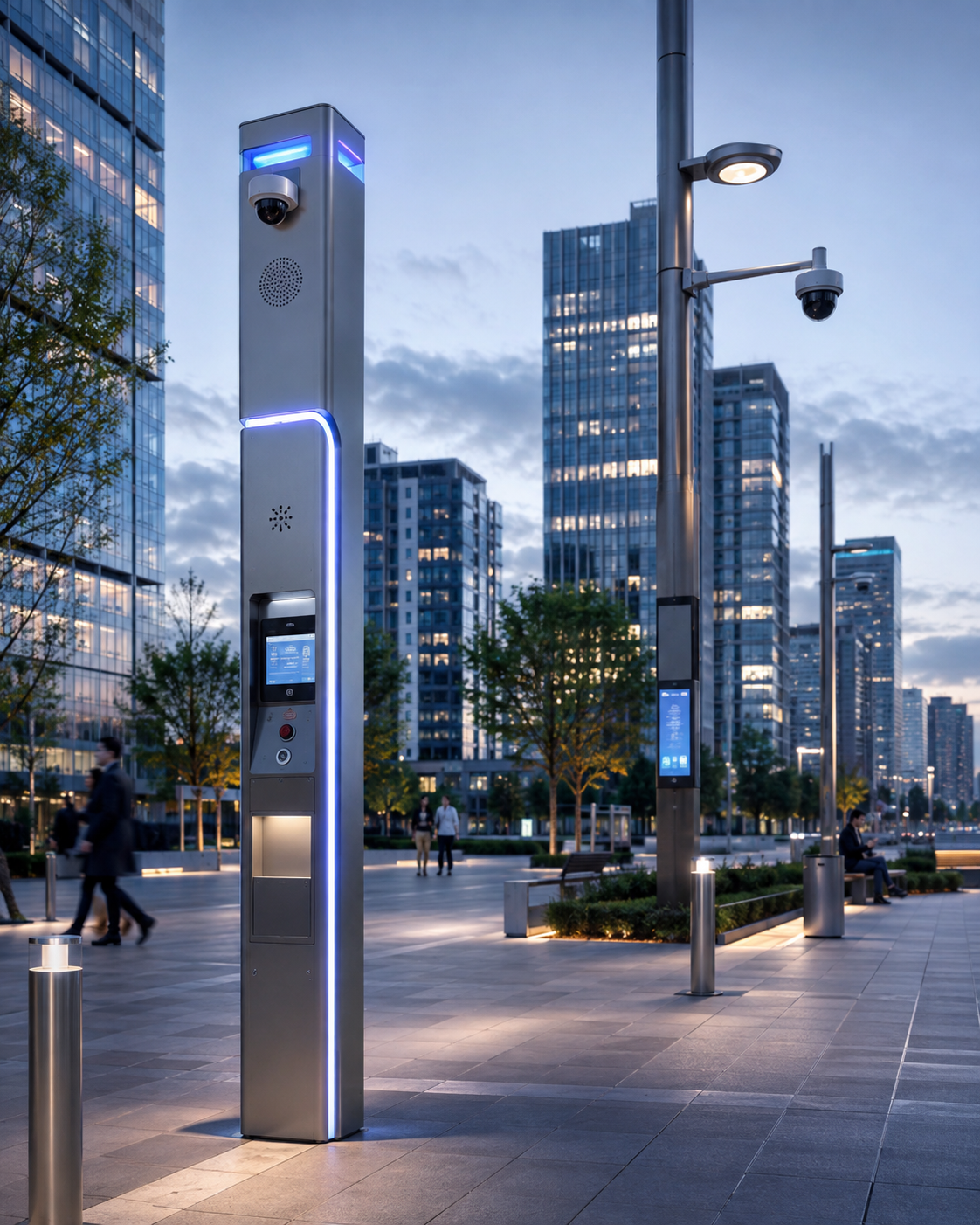
  • Smart City Security: Cameras, Sensors and Public-Safety Platforms

    Smart City Security: Cameras, Sensors and Public-Safety Platforms

    Smart-city security is moving beyond large camera networks toward integrated situational awareness that combines video, environmental sensors, transport data, emergency communications and analytics.

    From surveillance to situational awareness

    A camera-only model produces large volumes of video but limited context. Modern platforms correlate video with traffic, access, environmental, acoustic and emergency-service information.

    Edge intelligence

    Running analytics at the edge can reduce bandwidth and provide faster alerts. Typical functions include object detection, crowd density, traffic incidents and unusual behavior, but deployment must be guided by clear public policy.

    Privacy and governance

    Smart-city security can affect millions of people. Data minimization, retention limits, auditability, transparency and role-based access are essential for maintaining public trust.

    Resilient communications

    City platforms depend on fiber, wireless and cloud connectivity. Architecture should assume outages and include local recording, redundant paths and graceful degradation.

    A platform, not a single product

    Successful smart-city deployments are built around interoperability. Open interfaces allow agencies to combine sensors from different vendors while preserving cybersecurity and operational control.

    Conclusion

    Smart City Security: Cameras, Sensors and Public-Safety Platforms should be evaluated as part of a broader operational architecture. The strongest deployments combine suitable sensing technology, resilient communications, clear procedures and measurable performance rather than relying on a single device or headline specification.

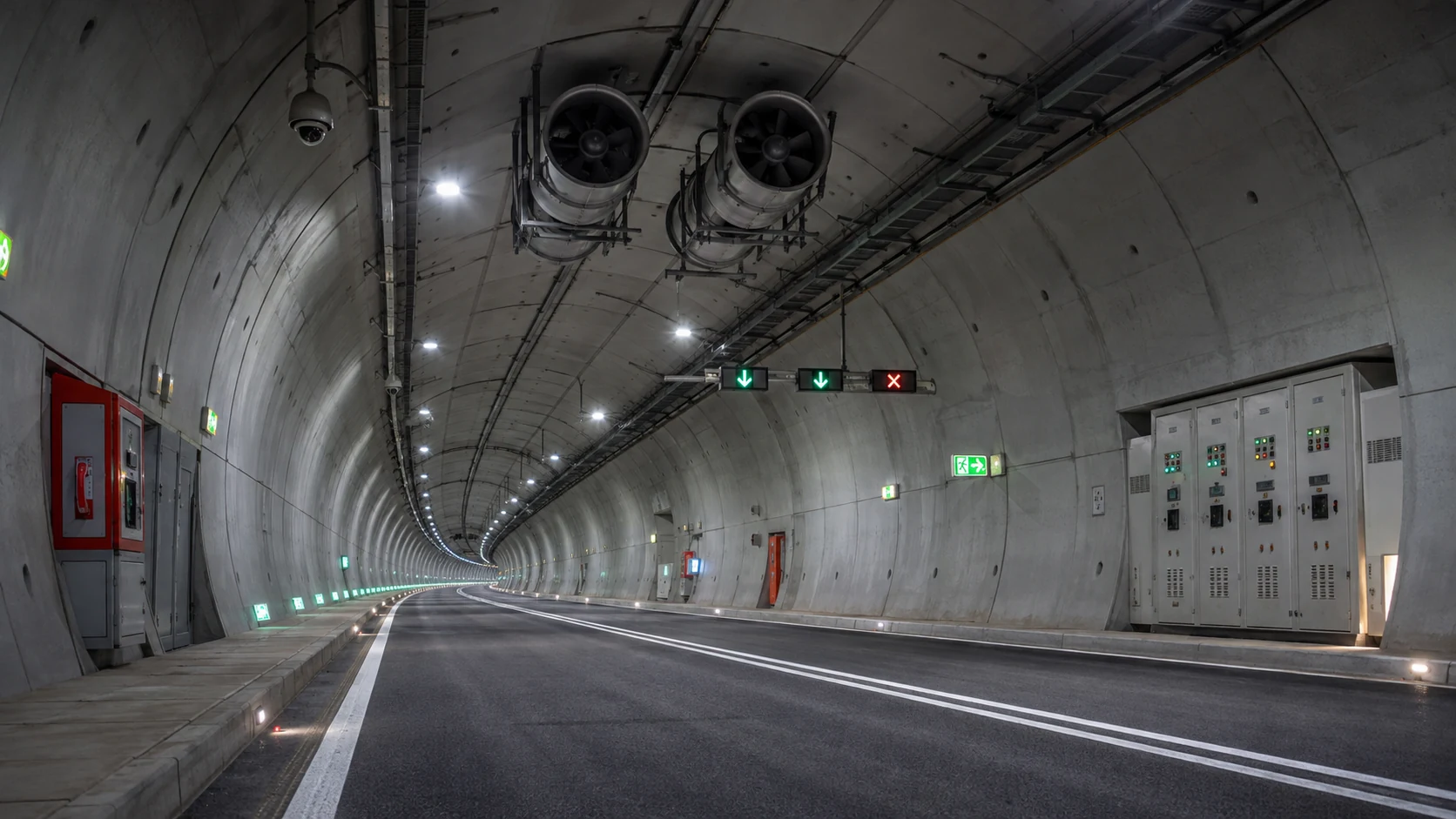
  • Tunnel Safety and Security Technology: Detection, Evacuation and Integrated Control

    Tunnel Safety and Security Technology: Detection, Evacuation and Integrated Control

    Modern tunnels combine fire detection, video analytics, access control, ventilation, emergency communications and increasingly distributed fiber sensing. Because incidents develop quickly and escape routes are constrained, tunnel protection depends on coordinated systems rather than isolated devices.

    Why tunnels require a different security model

    Road and rail tunnels create long enclosed spaces with limited visibility, difficult radio propagation and restricted evacuation options. A useful design therefore starts with incident detection, localization and coordinated response rather than simply adding more cameras.

    Core detection layers

    Video surveillance provides situational awareness while thermal cameras can identify overheated equipment or abnormal temperature patterns. Linear heat detection, point detectors, flame detection and air-quality sensors add dedicated life-safety coverage. In long tunnels, DAS can provide continuous acoustic and vibration awareness along many kilometres of fiber.

    Ventilation and evacuation

    Smoke control is often as important as the initial alarm. Variable-message signs, public-address systems, emergency telephones, lighting and cross-passage control must work with ventilation logic so operators can direct people away from the hazard.

    The role of the control room

    A tunnel operations center should correlate alarms, location, video and infrastructure status on one interface. Automation can suggest response actions, but operators still need clear authority and verified procedures.

    Design priorities

    Resilience, redundant communications, maintainability, false-alarm control and realistic drills matter as much as sensor selection. The strongest architecture is layered, testable and designed around credible incident scenarios.

    Conclusion

    Tunnel Safety and Security Technology should be evaluated as part of a broader operational architecture. The strongest deployments combine suitable sensing technology, resilient communications, clear procedures and measurable performance rather than relying on a single device or headline specification.

  • Autonomous Drones for Perimeter Patrol

    Autonomous Drones for Perimeter Patrol

    Autonomous drones are moving from experimental security projects toward practical perimeter-monitoring tools. Instead of being manually flown for every mission, an autonomous system can launch from a docking station, follow a predefined route, inspect points of interest and return for charging with limited operator involvement.

    The value is not that drones replace fixed cameras or guards. Their value is mobility. A drone can investigate an alarm, inspect a remote fence section, view the far side of a building or patrol terrain that would require many fixed camera positions.

    Modern systems combine navigation, obstacle avoidance, geofencing, video analytics and fleet-management software. Thermal payloads can improve night operations, while high-resolution visible cameras provide identification and documentation.

    Autonomy introduces new design requirements. The drone must operate safely around structures, power lines, people and changing weather. Communications loss, GPS degradation, emergency landing and cyber security must all be addressed. Docking stations also become critical infrastructure because they provide charging, data transfer and environmental protection.

    Security workflows are most effective when drone missions are triggered by other sensors. A fence alarm, radar track or fiber-optic detection event can automatically create a task for a drone to inspect the location. The resulting video can then be displayed in the same command platform used for fixed cameras.

    Regulation remains a major factor. Beyond-visual-line-of-sight operations, autonomous missions and flights near populated or restricted areas may require specific approvals. Organizations should treat aviation compliance as part of system design from the beginning.

    Autonomous drones are best understood as mobile sensors within a layered perimeter system. Their strongest role is verification, inspection and rapid situational awareness across large or difficult sites.

  • License Plate Recognition: How Modern ALPR Systems Work

    License Plate Recognition: How Modern ALPR Systems Work

    Automatic license plate recognition, often called ALPR or ANPR, converts vehicle images into searchable plate data. It is widely used for gated facilities, parking, logistics, campuses, ports and investigations because vehicle identifiers can be processed much faster than manual video review.

    How the Technology Works

    A modern ALPR pipeline begins with image capture. The camera must freeze a moving vehicle clearly enough for the plate characters to be visible. Shutter speed, lens selection, infrared illumination and camera angle are therefore more important than raw megapixel count.

    The software then detects the plate region, corrects perspective where possible and uses optical character recognition to convert the image into text. Advanced models may also estimate plate country or region, vehicle type, color, make and direction of travel.

    Operational Considerations

    Environmental conditions create challenges. Headlights can overwhelm a poorly configured camera at night. Dirty or damaged plates reduce recognition quality. Motorcycles, stacked plates, unusual fonts and high vehicle speeds may require specialized configurations.

    ALPR systems should store confidence values and the original evidence image alongside recognized text. Operators need to see the plate that produced a match rather than trust the OCR string alone. A single misread character can create a false alert.

    For access control, ALPR can operate as a credential. A vehicle on an approved list can trigger a gate workflow, while an unknown plate can be routed to an intercom or guard station. Higher-security sites should combine the plate with another factor because plates can be copied or obscured.

    Deployment and Risk

    For investigations, the real value is search. Security teams can query when a vehicle entered, which gate it used and where else it appeared. Integration with VMS and access-control data creates a more complete timeline.

    Privacy and retention policies are important because plate data can reveal travel patterns. Organizations should define who can search the database, how long records are retained and whether data is shared outside the organization.

    Conclusion

    A successful ALPR deployment is a camera-engineering project as much as an AI project. Correct geometry, illumination and lane design determine recognition quality. When those fundamentals are right, ALPR becomes one of the most reliable and operationally useful forms of video analytics.