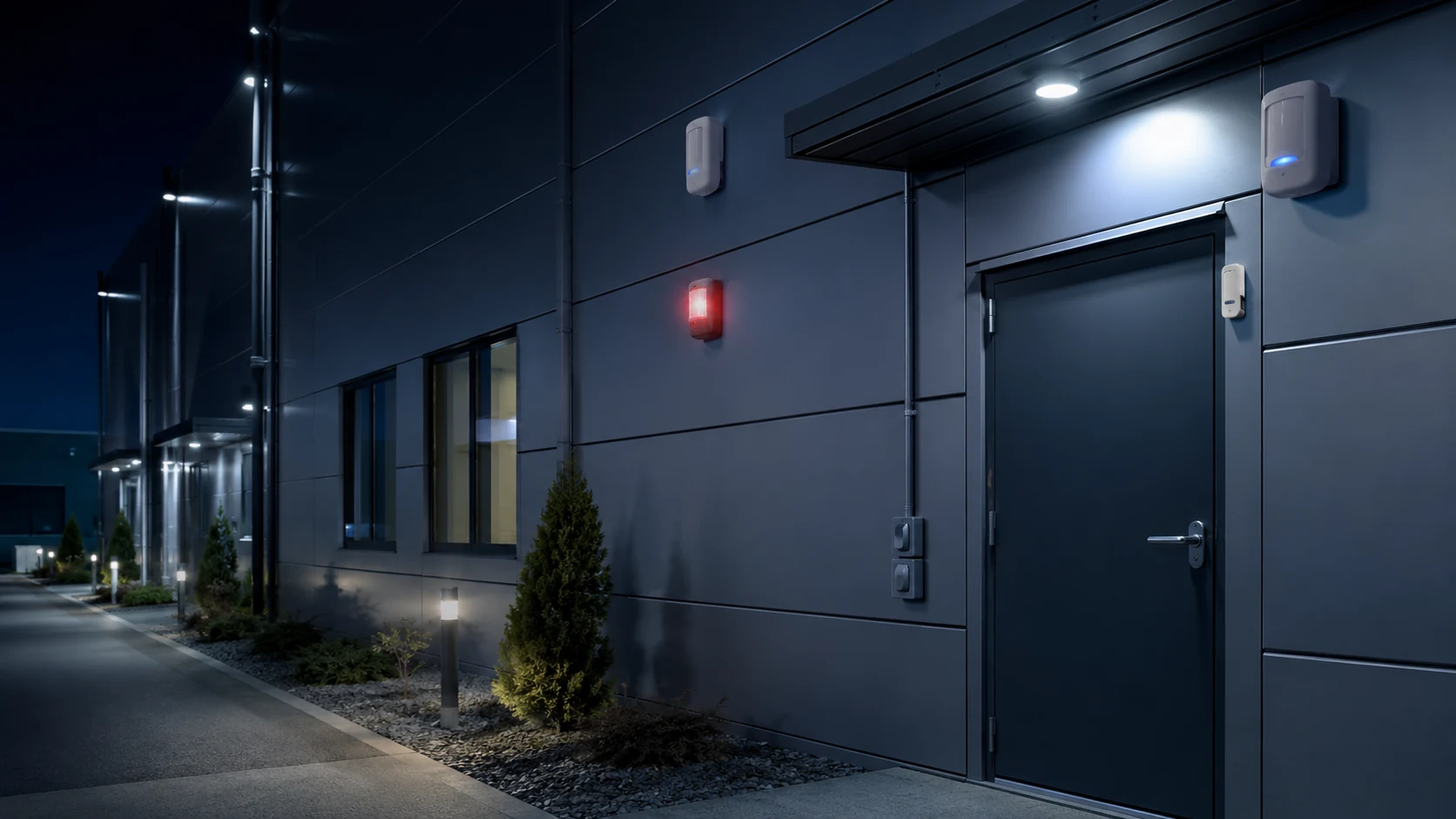
Category: Intrusion & Perimeter Security

Sensors, alarms, fencing, radar, thermal imaging and fiber optic systems used to detect and prevent unauthorized entry into secured areas.

  • Glass-Break and Shock Sensors: Selection, Placement and Commissioning

    Glass-Break and Shock Sensors: Selection, Placement and Commissioning

    Glass protection can be added to an intrusion system in two fundamentally different ways. Acoustic glass-break detectors listen for the sound pattern associated with breaking glass, while shock or vibration sensors detect energy transmitted through the pane or frame. The correct choice depends on the glazing, room, mounting options and nuisance-alarm environment.

    Neither technology should be selected from range alone. Manufacturer instructions define supported glass types, mounting locations, coverage geometry and test procedures. Those details determine whether a detector can distinguish an attack from ordinary vibration or noise.

    Acoustic Detection Covers a Room

    An acoustic detector can monitor several windows within its listed field of view and distance. It typically analyzes more than simple loudness, looking for characteristics associated with the impact and high-frequency content of breaking glass. This makes it attractive for rooms with multiple protected openings and limited access to window frames.

    Room acoustics matter. Curtains, blinds, furniture, acoustic treatments and partitions can attenuate or alter sound. Kitchens, gyms, workshops and spaces with metal impacts may present nuisance sources. The detector should have a clear acoustic path to the protected glazing and be installed only within the manufacturer’s documented limits.

    Shock Sensors Protect a Specific Surface

    A shock sensor is mounted on the glass or supporting frame and responds to vibration transmitted through that surface. It can be useful where ambient noise makes acoustic detection difficult or where each opening needs individual protection. Coverage is more localized, so large window groups may require multiple devices.

    Frame construction, adhesive or screw mounting, cable movement and nearby mechanical equipment can change performance. A sensor placed on an unstable frame may respond differently from one on a rigid surface. The installation method is therefore part of the detection system, not a cosmetic detail.

    Match the Detector to the Glazing

    Plate, tempered, laminated, wired and filmed glass behave differently when attacked. A detector’s documentation should explicitly list supported types and thicknesses. Security film can hold fragments together and alter the sound or vibration signature, while insulated units introduce multiple panes and air spaces.

    Where glazing type is uncertain, obtain construction records or inspect the marking before design. Testing an unsupported assembly and accepting a single apparent response does not establish reliable protection.

    Placement Should Follow the Real Room

    Draw the detector’s coverage against actual window positions, ceiling heights, furniture and partitions. Avoid locations exposed to drafts, rattling ducts or loose objects when the manufacturer identifies those conditions as problematic. For shock sensors, protect the cable route and avoid creating an easy bypass by mounting only on removable trim.

    Renovations can invalidate the original layout. New curtains, displays, partitions or machinery may change acoustic paths and vibration. Security teams should include glass sensors in change-control reviews instead of treating commissioning as permanent.

    Use the Correct Test Method

    Acoustic detectors should be tested with the manufacturer-approved simulator and procedure. Hand claps, keys or breaking an expendable bottle are not controlled commissioning methods. Shock sensors likewise require the specified mechanical test or calibrated setting procedure.

    Testing should confirm alarm transmission at the panel and monitoring destination, not only the local LED. Record detector location, glass type, sensitivity setting, test tool and result. Where a walk-test mode changes detector behavior, return the device to normal operation and verify the final state.

    Reduce Nuisance Alarms Without Defeating Detection

    Begin with correct placement and supported settings. Reducing sensitivity to mask repeated nuisance alarms can create an undetected attack path. Investigate loose frames, nearby equipment, environmental changes and incorrect detector type before changing the setting.

    Layered design can combine glass detection with door contacts, interior motion detection and video verification. The layers should address different attack paths rather than duplicate the same weakness. For the broader alarm architecture, see SectechMedia’s intrusion detection and alarm systems guide.

    Commissioning Checklist

    • Identify glass type, thickness and any film or laminate.
    • Confirm supported range and mounting geometry.
    • Document curtains, partitions and likely nuisance sources.
    • Test with the approved tool and procedure.
    • Verify panel, communicator and monitoring-station receipt.
    • Record sensitivity and repeat testing after room changes.

    References

  • DAS Event Classification Acceptance Testing and Model Drift Control

    DAS Event Classification Acceptance Testing and Model Drift Control

    Distributed acoustic sensing can monitor long fiber routes, but acceptance should evaluate more than whether the interrogator detects vibration. The system must distinguish agreed event classes, localize them usefully and remain manageable as the environment changes.

    Define event classes and evidence

    List the events the system is expected to identify, such as fence disturbance, excavation, vehicle movement or activity near a pipeline. Define each class in operational terms and state which events require an alarm, investigation or record only.

    Agree on test methods, route sections, repetitions and acceptance metrics before testing. Avoid adopting a generic vendor demonstration as the site requirement. Soil, cable coupling, fence construction and background activity strongly affect the signal.

    Build a representative test set

    Run events at different distances from the fiber and at several points along the route. Include strong and weak examples, boundary locations and simultaneous background activity. Record weather, time, operating conditions and the personnel or equipment used.

    Collect nuisance sources such as maintenance work, traffic, animals and weather-driven movement. A classifier that performs well only in quiet conditions has not demonstrated operational readiness.

    Measure detection and classification separately

    Record whether the system detected an event, how it classified it, its reported location and the time to alarm. A detected event with the wrong class may trigger the wrong response; a correctly classified event with poor localization may still waste operator time.

    Review confusion between classes rather than relying on one combined accuracy figure. Confirm how low-confidence results are presented and whether operators can inspect supporting traces.

    Control model and threshold changes

    Back up the accepted configuration, model version and training assumptions. Any retraining or threshold change should be tested against a fixed regression set before deployment. Track changes in nuisance alarms and missed events across seasons.

    This lifecycle control belongs within Fiber Optic Sensing governance. It is especially important after route work, cable repair, vegetation changes or new nearby machinery.

    Monitor for drift

    Compare live alarm distributions with the acceptance baseline and investigate sustained changes by location, class or confidence. Keep operator feedback structured; ad hoc relabeling can contaminate future training data. Periodically repeat controlled field events and document whether performance remains within the approved envelope. Where it does not, treat retraining as a controlled engineering change with rollback and independent review.

    Define operational review and rollback

    Specify who may approve model or threshold changes and which evidence is required. Preserve the previous model and configuration so the system can be restored if nuisance alarms or missed detections increase after deployment.

    Review field feedback by route section, event class and confidence rather than as one sitewide total. Confirm that operators receive understandable classifications and supporting traces. A lifecycle report should distinguish sensor health, detection performance, classification performance and response workflow.

    Reference sources

  • Perimeter Radar Clutter Map Validation and Seasonal Recommissioning

    Perimeter Radar Clutter Map Validation and Seasonal Recommissioning

    Perimeter radar learns or uses a map of stationary reflections so that moving targets can be separated from buildings, fences and terrain. Construction, vegetation and seasonal conditions can make that map inaccurate even when the sensor remains online.

    Record the accepted coverage model

    Preserve the radar location, height, orientation, software version, range sectors and exclusion zones. Keep a site drawing with important reflective objects and the approved detection boundary. Record the target classes, speeds and cross sections used during acceptance.

    Document areas where geometry limits performance. A blind zone behind a building should be treated as a designed limitation with compensating coverage, not hidden by a broad performance claim.

    Review clutter and environmental change

    Compare the current scene with the accepted map. New metal structures, parked machinery, fencing, cranes and growing vegetation can change reflections. Rain, standing water and snow may also alter background behavior or target tracks.

    Examine nuisance alarms by location and weather. A repeated cluster can identify a moving branch, drainage feature or mechanical installation. Physical remediation may be more reliable than reducing sensitivity across an entire sector.

    Run controlled track tests

    Move representative people and vehicles through near, middle and far coverage at different directions and speeds. Cross sector boundaries and approach along radial and tangential paths. Record detection time, track continuity, classification and location error.

    Include multiple targets where required. Confirm that tracks do not merge or swap identities near clutter and that exclusion zones do not create an untested corridor.

    Verify handover and alarm routing

    Check camera cueing, preset accuracy and control-room presentation for each test route. Measure the time from radar detection to usable visual context. Confirm that map coordinates, time synchronization and site orientation remain aligned across systems.

    Radar tests should integrate with broader Intrusion & Perimeter Security assurance rather than ending at the sensor console.

    Govern remapping

    Back up the current configuration before generating or editing a clutter map. Compare detection performance before and after the change and retain a rollback copy. Recommission after construction, sensor relocation, major vegetation work, software changes or repeated weather-related alarms. The final record should state both nuisance-alarm performance and approved target detection results.

    Review performance with operations

    Include control-room operators in the review because repeated low-value tracks can create workload even when technical detection remains within specification. Compare acknowledgment, classification and dispatch outcomes with the sensor record.

    Maintain a zone-by-zone register of known limitations, compensating cameras and seasonal settings. If remapping improves one route but weakens another, the change has not passed acceptance. Require a witnessed retest and preserve raw tracks or screen recordings for future comparison.

    Review the accepted map with maintenance teams and record who owns each physical obstruction or recurring environmental condition.

    Reference sources

  • Video Analytics Zone Geometry and Camera Recommissioning

    Video Analytics Zone Geometry and Camera Recommissioning

    Video analytics can continue reporting a healthy service after a camera has moved enough to invalidate its detection zones. Recommissioning should verify scene geometry, target size, occlusion and event routing whenever the view or environment changes.

    Preserve the accepted view

    Keep a reference image showing the approved field of view, horizon, landmarks and zone boundaries. Record lens settings, mounting height, camera angle, resolution, frame rate and analytics version. These values allow a technician to distinguish a scene change from an algorithm change.

    Use tamper detection as an alert, not as the only control. Small shifts, zoom changes or focus adjustments may remain below a tamper threshold while materially changing target pixels.

    Rebuild geometry from the scene

    Confirm that calibration lines, perspective maps and exclusion zones align with current physical features. Walk the near, middle and far parts of each zone using representative target paths. Verify that the analytics maintains the required object size and classification confidence.

    Check entrances, corners and zone boundaries where a track may appear late or disappear early. Vegetation, parked vehicles and new structures can create occlusion that was absent during acceptance.

    Test operational scenarios

    Run approved intrusion, loitering, direction and line-crossing tests at different speeds and angles. Include more than one person or vehicle where the system is expected to separate targets. Test daylight, low light and scene illumination transitions.

    Record both missed events and nuisance alarms. A tuning change that suppresses shadows but also misses a slow approach is not an acceptable improvement.

    Verify the event chain

    Confirm that every accepted detection reaches the video management system and control-room workflow with the correct camera, zone, timestamp and clip. Measure cue and display latency. If the camera triggers lighting, audio or another sensor, verify those actions without assuming that a local analytics alarm proves integration success.

    Recommissioning should remain part of the wider Video Surveillance & Imaging maintenance plan, with clear ownership for scene changes.

    Control and review changes

    Store before-and-after screenshots, settings exports, test routes and results. Require approval for large sensitivity or zone reductions and keep a rollback copy. Repeat a representative test after firmware, model, VMS or network updates, and schedule periodic checks for cameras exposed to vibration, construction or seasonal vegetation.

    Measure post-change stability

    Observe the camera through representative operating periods after recommissioning. Compare alarm volume, classification mix and operator dispositions with the accepted baseline. A short walk test cannot reveal every moving shadow, headlight reflection or recurring obstruction.

    Assign unresolved blind areas and nuisance sources to named owners. Where geometry cannot be corrected, document compensating coverage and its limitations. Close the recommissioning record only after both controlled detection tests and a defined observation period have passed.

    Document the final field of view and approved test date.

    Reference sources

  • Counter-UAS Sensor Handover and Coverage-Gap Testing

    Counter-UAS Sensor Handover and Coverage-Gap Testing

    A counter-UAS system may detect a target with one sensor but lose it before another sensor or operator receives usable context. Coverage testing should measure the complete chain from first detection through classification, tracking, alerting and authorized response.

    Build a three-dimensional coverage model

    Map terrain, buildings, vegetation, reflective surfaces and restricted test areas. Coverage should be described by altitude, range and direction rather than a flat radius. Radar shadowing, RF interference and camera line-of-sight limits rarely share the same geometry.

    Record each sensor’s intended role. Radar may provide initial detection, RF equipment may identify a control link, and cameras may support visual classification. The test should not assume that every technology will observe every target.

    Measure handover between sensors

    Use authorized test flights or approved simulation tools to cross sector and sensor boundaries. Record the time of first detection, track creation, correlation, camera cue, operator presentation and classification. Verify that identifiers remain associated with the same target during handover.

    Test crossing targets and multiple simultaneous tracks. A system may perform well with one cooperative aircraft but merge, swap or drop tracks when trajectories intersect.

    Expose practical coverage gaps

    Vary altitude, speed, direction and approach path within legal and safety constraints. Include routes near rooftops, utility structures and site edges. Repeat tests under different weather and lighting conditions where optical or acoustic sensors contribute.

    Document whether a gap is caused by geometry, detection threshold, network delay, time synchronization or operator workflow. The corrective action may be a sensor move, configuration change or revised response procedure rather than an additional sensor.

    Validate decision and evidence workflows

    Confirm that alerts show location uncertainty, sensor confidence and supporting evidence. Operators should distinguish detection from identification and should understand the legal limits on mitigation. Record acknowledgements, escalation and event export so exercises can be reviewed.

    Counter-UAS testing must follow aviation, spectrum and public-safety rules. It belongs within a controlled Counter-UAS & Airspace Security assurance program, with retesting after sensor relocation, software updates, construction or major changes to the surrounding radio environment.

    Maintain a repeatable test library

    Store approved routes, simulated targets, sensor settings and expected event sequences. Repeat a core subset after software, map, network or camera changes. This makes regression visible and prevents each acceptance test from becoming an unrelated demonstration.

    Review missed and delayed detections with engineering and operations teams. Record the cause, operational consequence and corrective action. Where live flights are not permitted, use vendor-supported injection or replay tools while clearly distinguishing simulated evidence from field performance.

    Measure operator workload during dense scenarios and confirm that priority rules remain understandable. Archive track data, screen recordings and timing logs under controlled access. A final report should distinguish detection coverage, classification confidence and legally authorized response capability.

    Reference sources

  • Perimeter Fence Sensor Seasonal Tuning and Weather Compensation

    Perimeter Fence Sensor Seasonal Tuning and Weather Compensation

    Fence-mounted sensors respond to mechanical energy, and the fence changes with temperature, wind, vegetation, rain, ice and maintenance activity. Seasonal tuning should reduce nuisance alarms without making climbing, cutting or lifting attacks harder to detect.

    Preserve an accepted baseline

    Record zone length, fence type, sensor configuration, processor settings and accepted test results. Keep representative alarm traces where the system supports them. A baseline allows engineers to compare seasonal behavior without guessing which setting changed.

    Divide the perimeter into zones with similar construction and exposure. A sheltered rigid fence should not automatically share thresholds with a long flexible section facing prevailing wind.

    Collect environmental evidence

    Correlate alarms with wind speed, precipitation, temperature, vegetation contact and nearby operations. Look for repeated activity at the same time or location. A rising nuisance rate can indicate loose fabric, damaged ties, moving signs or branches rather than a processor problem.

    Inspect the physical barrier before changing sensitivity. Tighten or repair the fence, remove unmanaged vegetation and verify sensor attachment. Software compensation should not conceal a mechanical defect that reduces security.

    Retune with controlled intrusion tests

    Change one parameter at a time and repeat approved climb, cut or lift simulations at several points in the zone. Test near the processor, in the middle and at the far boundary. Include boundary handover so an event cannot fall between adjacent zones.

    If adaptive weather compensation is used, verify its limits. The system should not suppress a real intrusion simply because wind is high. Supervisors need visibility when compensation is active and when the processor reaches its maximum adjustment.

    Monitor after the change

    Review alarm rates and confirmed test detections for a defined observation period. Record the reason, old value, new value, authorizer and rollback setting. A successful change should improve nuisance performance while preserving the agreed probability of detection.

    Seasonal tuning belongs within a broader Intrusion & Perimeter Security maintenance program. Repeat it after fence repair, construction, vegetation changes or sensor firmware updates, and retain evidence across seasons.

    Govern threshold changes

    Maintain a change log for every zone, including environmental evidence, approved test method, previous threshold and rollback value. Restrict tuning privileges and require a second reviewer for large sensitivity reductions. Temporary storm settings should expire automatically or generate a supervisor reminder.

    Combine alarm statistics with inspection findings and confirmed intrusion tests. A lower nuisance count is not a success if the system no longer detects the approved attack simulation. Seasonal reports should state both outcomes and identify zones that need mechanical repair or redesign.

    Brief control-room operators before and after tuning so they understand changed alarm behavior. Compare daytime and overnight performance, then review the next severe-weather event. If compensation repeatedly reaches its limit, escalate the zone for barrier repair, sensor relocation or engineering redesign.

    Reference sources

  • Stolen Flock Camera Teardown Reveals Edge Capture and Large Local Data Volume

    Stolen Flock Camera Teardown Reveals Edge Capture and Large Local Data Volume

    A physical teardown of a stolen Flock Safety automated license-plate recognition camera has provided an unusually detailed view of the device’s edge processing and local operational data. Reporting published on September 21 says the unit was removed from the field, opened and analyzed by a hacker collective before findings were shared with journalists.

    What the recovered data showed

    Security Today reported that the analyzed camera logged about 50,200 vehicle encounters and generated roughly 1.6 million images during a 21-day period. The recovered material indicated that one vehicle pass could produce many images, while embedded applications handled functions such as motion detection and communications. Initial image capture occurred on the roadside device before photos and metadata were transmitted over a cellular connection for central processing.

    The figures describe one examined unit and should not automatically be generalized to every deployment. Flock Safety told media outlets that removing or tampering with its equipment is illegal and pointed to its vulnerability disclosure process. The incident nevertheless demonstrates that a field camera is both a sensing endpoint and a physical asset that may contain sensitive software, keys or stored data.

    Design implications

    Operators of video surveillance and imaging systems should include tamper detection, secure boot, encryption, credential rotation and device inventory in lifecycle planning. Physical placement and inspection procedures matter alongside cloud access controls.

    Sources

  • Perimeter Radar Commissioning: Clutter Maps, Zones and Target Validation

    Perimeter Radar Commissioning: Clutter Maps, Zones and Target Validation

    Perimeter radar commissioning is the process of turning a correctly installed sensor into a verified detection capability. The work includes mapping the real environment, defining alarm zones, testing representative targets and proving the handoff to cameras and operators. Default settings cannot account for every fence, slope, road or moving object around a site.

    Build a site-specific clutter picture

    Radar returns may come from vegetation, water, vehicles outside the boundary, rotating equipment, animals and other environmental movement. The commissioning team should observe the site over representative periods rather than tune the system during one quiet hour. Weather and seasonal conditions can change the background significantly.

    Clutter suppression must be used carefully. A filter that removes nuisance tracks can also reduce sensitivity to a real intruder moving near the same object. Record why an exclusion or threshold was introduced and retest the affected route with a representative target.

    Define zones around decisions

    Detection zones should correspond with security actions. An outer awareness zone may cue a camera, while a protected inner zone may create a high-priority alarm. Boundaries need enough separation to avoid rapid state changes when a target moves near an edge. Roads and public paths should be handled explicitly rather than left to repeated operator dismissal.

    Height, direction, speed and track-duration rules can improve classification, but each additional rule creates another way to miss unusual behavior. The design should remain understandable to operators and maintainers.

    Use representative target tests

    Testing should cover walking, running, crawling where relevant, groups, vehicles and movement across and toward the radar. Routes should include fence lines, terrain depressions and the edges of coverage. Record the path, target, time, weather, result and track continuity. Maximum-range claims are less useful than repeatable performance in the site’s critical zones.

    For counter-UAS applications, use authorized and safely managed targets appropriate to the requirement. Small aerial targets present different signatures and legal constraints from ground intrusion.

    Verify integration and operator workload

    An alarm should reach the command platform with the correct zone, priority and timestamp. If radar cues a PTZ camera, verify that the view is useful and that calibration remains accurate at multiple points. Operators should be able to distinguish a new alarm from an existing track and understand why the system classified it.

    Measure operator workload during a realistic observation period. A technically valid detection rate can still be operationally poor if recurring nuisance tracks overwhelm the team or if camera cueing repeatedly points to unusable views.

    Commissioning closes with an agreed acceptance record, baseline configuration and maintenance plan. Changes to vegetation, construction or neighboring traffic should trigger review. Radar becomes dependable perimeter security only when site-specific validation links detection to a clear response.

    Shift changes should be included because procedures and experience vary among operators.

    Reference sources

  • Sentry AI Deploys 100th Solar-Powered Mobile Security Unit

    Sentry AI Deploys 100th Solar-Powered Mobile Security Unit

    Sentry AI has deployed its 100th SolarGuard mobile security unit, marking a scale milestone for a model that combines solar-powered field hardware, cloud video analytics and remote human review. The trailers are designed for construction sites and other temporary locations where wired power, fixed connectivity and permanent camera infrastructure may be unavailable.

    Mobile monitoring for changing sites

    Security Today reported that alerts are reviewed by remote personnel against each site’s response plan. Depending on the event, the operator can dismiss harmless activity, issue a voice warning or escalate to site contacts or law enforcement. The architecture illustrates why analytics alone do not constitute a complete response: a useful deployment also needs verification, communications and documented escalation rules.

    Construction security presents unusual design constraints. Perimeters move, materials create new blind spots, and lighting or network conditions can change as work progresses. A trailer that was correctly positioned one week may require relocation after the next phase of construction. Solar generation and battery condition also need routine inspection rather than being assumed to remain adequate throughout a project.

    Operational lessons

    The milestone reflects broader demand for relocatable surveillance, but buyers should assess coverage, communications resilience, privacy zones and alarm-handling capacity. Mobile units are best treated as part of an intrusion and perimeter security plan with scheduled field verification, not as unattended appliances.

    Sources

  • Alarm Verification Technology: Video, Audio, Sensors and Response Workflows

    Alarm Verification Technology: Video, Audio, Sensors and Response Workflows

    An alarm is a request for attention, not proof that an intrusion, fire or safety event is underway. Verification technology helps operators and responders distinguish credible incidents from environmental effects, user mistakes, equipment faults and nuisance activity. The goal is not to eliminate uncertainty; it is to improve the quality and speed of decisions.

    What alarm verification means

    Verification adds independent evidence to the initial alarm. That evidence may come from a second sensor, a live or recorded video clip, two-way audio, a user response, access-control activity or a sequence of events that matches a known threat pattern. A strong workflow records what was observed, who made the decision and why the event was escalated or closed.

    Common verification methods

    Video verification

    A monitoring platform can retrieve pre-alarm, alarm and post-alarm footage from the associated camera. Useful evidence depends on camera placement, lighting, time synchronization and retention. Analytics can prioritize clips, but an operator should understand the limitations of object classification and the false-alarm behavior discussed in SectechMedia’s guide to video analytics and false alarms.

    Audio verification

    Microphones, acoustic analytics and two-way voice can add context when permitted by law and policy. Audio may reveal breaking glass, forced entry or a person requesting help, yet it creates privacy and intelligibility concerns. Background noise and reverberation can make confident interpretation difficult.

    Sequential and multi-sensor verification

    Two or more logically related events can raise confidence: perimeter detection followed by door contact and interior motion, for example. The sequence should be engineered around the site rather than treated as a universal rule. Poorly located sensors can produce multiple correlated false alarms.

    User and guard confirmation

    Calls, mobile prompts and on-site guard checks remain important. They should use authenticated contacts, clear duress procedures and defined time limits. A failure to reach a user is not evidence that an alarm is false.

    Designing the response workflow

    1. Classify alarm types and consequences.
    2. Define the minimum evidence needed for each response level.
    3. Set operator prompts without preventing professional judgment.
    4. Preserve clips, audio and event logs with accurate timestamps.
    5. Document escalation to guards, emergency services and site management.
    6. Review false closures and unnecessary dispatches as separate failure modes.

    Limitations and governance

    Verification can introduce delay if operators must navigate multiple systems or wait for slow video retrieval. Integration therefore matters as much as sensor quality. Privacy rules, retention periods and access controls should be established before audio or video is used for verification. Automated scores should support rather than conceal the evidence behind a decision.

    Conclusion

    Effective alarm verification combines suitable sensors, reliable communications and a rehearsed decision process. The best measure is not the number of alarms closed automatically, but whether credible incidents are recognized quickly while avoidable dispatches and undocumented decisions decline.

    Reference sources