Category: Articles & Analysis

Long-form guides, explainers, comparisons, analysis and sector assessments.

  • Duress Alarms and Panic Buttons: Technology Options Explained

    Duress Alarms and Panic Buttons: Technology Options Explained

    A duress alarm, commonly known as a panic button, exists to let someone silently or quickly signal for help during a threatening situation. The concept is simple, but the technology behind it has diversified considerably as organizations look for options that fit different environments, from fixed retail counters to mobile hospital staff moving between patient rooms.

    Fixed Panic Buttons

    The most traditional form is a physical button mounted at a specific location, such as under a reception desk, at a bank teller station, or beside a cash register, wired or wirelessly connected to a monitoring system or directly to local law enforcement. Fixed buttons are simple, reliable and require no action beyond pressing them, but they only protect the person standing at that specific location, which limits their usefulness for staff who move throughout a building.

    Wearable Duress Devices

    Wearable panic devices, worn as a badge, pendant or wristband, extend duress alarm coverage to mobile staff. These devices typically communicate over a building’s Wi-Fi network or a dedicated real-time locating system (RTLS), allowing a monitoring center to see not just that an alarm was triggered but roughly where the wearer is located at the time. This location capability has made wearable duress devices particularly common in healthcare settings, where staff may be assisting a patient anywhere in a facility, and in hospitality, where housekeeping staff often work alone in guest rooms.

    Mobile App-Based Alerts

    Smartphone apps have become a lower-cost alternative or complement to dedicated wearable hardware, letting an employee trigger a duress alert directly from a phone they already carry, often using GPS to share location and sometimes activating audio or video recording automatically when triggered. App-based systems are easier and cheaper to deploy at scale than dedicated wearable hardware, though they depend on the user actively carrying and being able to access their phone during an incident, which is not always possible.

    Integration With Broader Security Systems

    Regardless of form factor, modern duress alarm systems increasingly integrate with video management and access control platforms, so that triggering an alert can automatically pull up live or recorded video from cameras nearest the alarm location, lock down access points in the area, and notify both on-site security staff and, where configured, local law enforcement simultaneously. This integration is intended to compress the time between an alert being triggered and a meaningful response being coordinated, which is generally considered the most important performance factor for any duress system.

    FAQ

    Are silent alarms better than audible panic buttons? It depends on the scenario. Silent alarms are generally preferred when the goal is to avoid escalating a confrontation, such as during a robbery, while audible alarms can be more effective for general emergencies where drawing immediate attention is the priority.

    Do wearable duress devices always include location tracking? Not always continuous tracking, but most wearable systems are designed to report location, either continuously or at the moment an alarm is triggered, since responding effectively to a duress alert usually depends on knowing where the person is.

    Can duress alarms be accidentally triggered? False activations do occur, particularly with wearable devices that can be bumped or pressed unintentionally, which is why many systems include a brief cancellation window or require deliberate multi-second presses to confirm an intentional alert.

  • Guard Tour Systems Explained: From Paper Logs to Real-Time Verification

    Guard Tour Systems Explained: From Paper Logs to Real-Time Verification

    Verifying that a security guard actually walked an assigned patrol route, and did so on schedule, used to depend entirely on paper logs and clock-in sheets that were easy to falsify and difficult to audit. Guard tour systems were built to solve that problem, and the technology behind them has evolved considerably from its original mechanical form.

    The Original Problem: Verifying an Unwitnessed Patrol

    A security guard’s patrol route often covers areas with no cameras and no supervision, which historically made it nearly impossible to confirm that checkpoints were actually visited rather than simply logged after the fact. Early guard tour systems addressed this with mechanical clock stations mounted at fixed checkpoints, where a guard inserted a key to record a timestamp on a paper tape carried on their person, creating a physical record that could later be checked against the expected schedule.

    From Mechanical Clocks to Electronic Checkpoints

    Electronic guard tour systems replaced mechanical clock stations with small, fixed data-collection points, originally barcode tags or magnetic buttons, that a guard would scan or touch with a handheld wand or reader while on patrol. Each scan recorded the checkpoint identifier and a timestamp on the handheld device, which was later downloaded to a central system for review. This eliminated the physical paper tape and made it far easier to generate reports, but the data was still typically reviewed after the fact rather than monitored live.

    Real-Time, Networked Verification

    Current-generation guard tour systems generally run on smartphones or dedicated handheld devices connected over cellular or Wi-Fi networks, using near-field communication (NFC) tags, QR codes, GPS location, or a combination of these methods to verify a checkpoint visit. Because these devices are connected in real time rather than downloaded after a shift, a missed checkpoint, a late arrival, or a patrol that stops moving unexpectedly can trigger an immediate alert to a supervisor or monitoring center, turning guard tour data from a historical audit tool into an active safety and accountability system.

    Beyond Simple Checkpoint Logging

    Many current systems layer additional functionality onto the basic checkpoint model: incident reporting with photos and notes logged directly at the point of observation, duress or panic alerts a guard can trigger if they encounter a threat, two-way messaging with a control room, and integration with video management systems so that footage from the time and location of a checkpoint scan can be pulled up automatically during an investigation. This integration reflects a broader trend of guard tour data becoming one more input feed into a unified security operations platform, rather than a standalone record-keeping tool.

    FAQ

    Do modern guard tour systems require special hardware? Many current systems run on standard smartphones using an app paired with inexpensive NFC tags or QR code stickers at checkpoints, though dedicated ruggedized handheld devices remain common in industrial or outdoor environments.

    Can guard tour systems work without cellular or Wi-Fi coverage? Most systems can log checkpoint scans offline and sync the data once connectivity is restored, though real-time alerting for missed checkpoints depends on having an active network connection at the time of the scan.

    Are guard tour records used as legal evidence? Time-stamped, GPS- or NFC-verified checkpoint logs are often used to demonstrate compliance with contractual patrol requirements or to support investigations, though their evidentiary weight depends on the specific system’s audit trail and how the records are maintained.

  • Cyber Insurance for Physical Security Systems: What Underwriters Actually Look At

    Cyber Insurance for Physical Security Systems: What Underwriters Actually Look At

    Cyber insurance underwriting has traditionally focused on IT systems, email, servers and cloud applications, but connected physical security devices have increasingly become part of that conversation. Cameras, access control panels, intrusion sensors and video management servers all sit on an organization’s network, and each one is a potential point of compromise that an insurer now has reason to ask about.

    Why Physical Security Devices Matter to Cyber Underwriters

    Network-connected security devices are, from a risk standpoint, IT endpoints, and they often carry the same vulnerabilities that make any embedded device attractive to attackers: default or weak credentials, infrequently updated firmware, and, in some deployments, direct internet exposure for remote viewing. A compromised camera or access control panel can serve as an entry point into a broader network, which is precisely the scenario cyber insurers are trying to price and prevent.

    What Underwriters Commonly Ask About

    During underwriting or renewal, insurers typically want to know whether security devices sit on a segmented network separate from general business IT systems, whether default manufacturer credentials have been changed, how firmware and software updates are managed across the device fleet, and whether remote access to video management or access control systems requires multi-factor authentication. Some insurers also ask about vendor support status, since devices that are past their manufacturer’s end-of-life date and no longer receive security patches represent a harder-to-mitigate risk.

    Network Segmentation as a Recurring Theme

    Segmentation, keeping security devices on a dedicated VLAN or subnet isolated from general corporate IT, has become one of the most consistently requested controls, because it limits how far an attacker can move if a single camera or panel is compromised. Organizations that can demonstrate this separation, along with documented patch management and credential practices, are generally viewed more favorably during underwriting than those that cannot.

    A Two-Way Relationship

    The relationship between physical security posture and cyber insurance is not one-directional. A poorly secured camera network can affect a company’s cyber insurance premium or coverage terms, but conversely, a well-documented, segmented and actively maintained physical security network can be used as supporting evidence during underwriting to help demonstrate an organization’s overall security maturity. Security integrators and end users increasingly treat cyber insurance requirements as a design input for new physical security deployments, rather than a separate compliance exercise handled after installation.

    FAQ

    Do cyber insurance policies typically name physical security devices specifically? Policy language varies, but many cyber policies cover incidents originating from any network-connected device, including physical security equipment, without necessarily naming device categories individually; underwriting questionnaires are where device-specific practices are usually assessed.

    Is network segmentation required for cyber insurance coverage? Requirements vary by insurer and policy, but segmentation of IoT and security devices from core business systems is increasingly requested as a condition for favorable pricing or, in some cases, coverage eligibility.

    Can outdated security cameras affect a cyber insurance claim? If an incident is traced to an unpatched or end-of-life device that a policyholder failed to disclose or maintain according to policy requirements, an insurer may scrutinize the claim more closely, underscoring the value of keeping device inventories and patch status current.

  • Automatic License Plate Recognition Explained: How ALPR Actually Works

    Automatic License Plate Recognition Explained: How ALPR Actually Works

    Automatic license plate recognition, commonly abbreviated ALPR or LPR, has become a routine part of parking facilities, gated communities, toll roads and law enforcement operations. Behind the simple output, a plate number matched or flagged in real time, sits a multi-stage pipeline that has to work reliably across widely varying lighting, weather, plate designs and vehicle speeds.

    Capturing a Usable Image

    ALPR begins with image capture, and purpose-built ALPR cameras differ meaningfully from general security cameras. They typically use infrared illumination and specialized shutter settings tuned to read the reflective, retroreflective coating on most license plates, allowing them to capture a sharp, well-exposed image of a plate at night or in bright daylight without being fooled by headlight glare or dark backgrounds. Camera placement and angle are also more exacting than for general surveillance, since a plate that is too oblique an angle or too far outside the camera’s focus range often cannot be reliably decoded regardless of processing quality.

    Locating and Reading the Plate

    Once an image is captured, software first has to locate the plate within the frame, distinguishing it from other rectangular, high-contrast regions like bumper stickers or grille badges. After the plate region is isolated, optical character recognition, increasingly built on deep-learning models rather than older template-matching techniques, extracts the individual characters. Modern systems typically also read the plate’s issuing state or country, since many alphanumeric combinations repeat across jurisdictions and are only unique when the plate’s origin is known.

    Matching Against a Database

    The extracted plate number is then checked against one or more reference lists in real time; depending on the application, that might mean a residential community’s list of authorized vehicles, a parking operator’s list of paid or subscribed vehicles, or a law enforcement hot list of stolen or wanted vehicles. Because this matching step generally happens in milliseconds, ALPR systems can trigger gate access, flag a security operator, or log a routine pass-through without a vehicle needing to slow down.

    Where Accuracy Breaks Down

    Read accuracy is highest for standard, clean, front- or rear-facing plates captured at low-to-moderate speed. Performance degrades with obscured or damaged plates, unusual plate designs or fonts the system was not trained on, extreme angles, heavy rain or snow accumulation on the plate surface, and high-speed capture where motion blur becomes a factor. Because of this, most operational deployments accept a certain rate of unreadable captures and are designed with a human review step, or a secondary confirmation method such as a transponder, rather than relying on ALPR as a sole point of failure for access decisions.

    FAQ

    Do ALPR systems store video of every vehicle? Retention practices vary by deployment and jurisdiction. Some systems store only the plate number and a timestamp, while others retain a still image or short video clip; many jurisdictions have specific retention-period rules for this data.

    Can ALPR read plates from any country or state? Most commercial systems are trained on the plate formats common to their deployment region and may perform poorly on unfamiliar international or out-of-region plate designs unless specifically configured for them.

    Is ALPR the same as general video analytics? No. ALPR is a specialized recognition pipeline built specifically around plate detection, character recognition and jurisdiction identification, distinct from general object-classification video analytics, even though both may run on similar camera hardware.

  • Radar’s Rise in Commercial Perimeter Security

    Radar’s Rise in Commercial Perimeter Security

    Radar has quietly become one of the more important sensor types in commercial perimeter security, moving well beyond its traditional home in aviation and military applications. For sites that need reliable detection across large open areas and in poor visibility, radar increasingly sits alongside cameras and fence-line sensors rather than as a niche add-on.

    Why Radar Fits Perimeter Detection

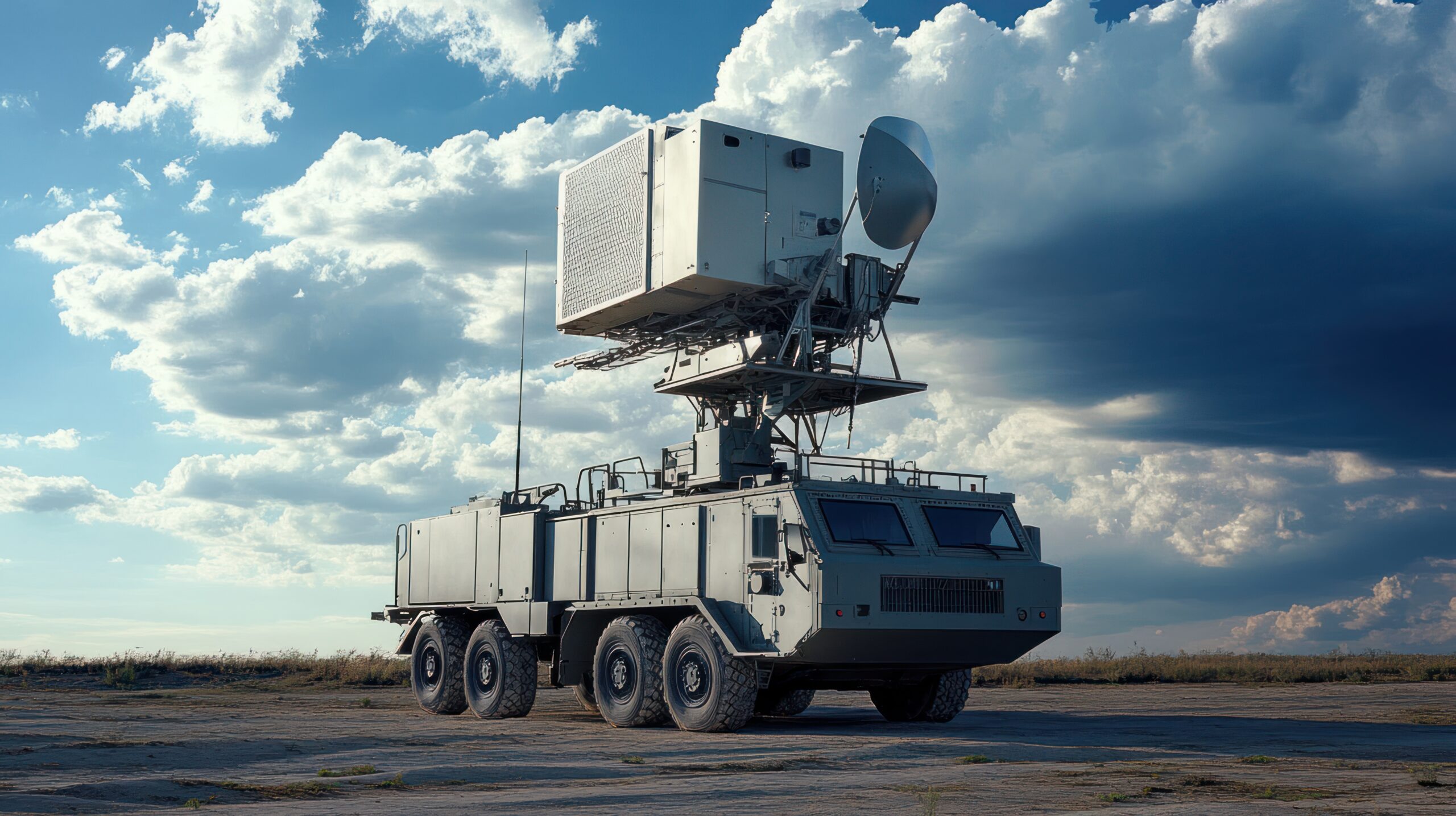
    Radar works by emitting radio waves and measuring how they reflect off objects, calculating range, speed and direction of movement independent of light or weather conditions. That makes it fundamentally different from video-based detection, which depends on adequate lighting and a clear line of sight, and from fence-mounted or buried sensors, which only detect activity at the point of intrusion rather than approach. A radar unit can detect a person or vehicle approaching a perimeter well before they reach it, in complete darkness, heavy rain, fog or blowing dust that would defeat most cameras.

    From Military-Grade to Commercially Practical

    Early security radar systems were adapted from military and airport surveillance technology, which made them expensive and often overly sensitive for typical commercial use. The current generation of ground surveillance radar is purpose-built for perimeter security, with solid-state designs, lower price points, and detection logic tuned to classify people and vehicles rather than simply flagging any movement, which has driven down the false-alarm rates that limited earlier radar deployments.

    Where Radar Is Being Deployed

    Radar has found a particular niche protecting large, open sites where fence-line sensors or camera coverage alone would be impractical or prohibitively expensive: solar farms, substations, ports, logistics yards, construction sites and data center campuses. In these environments, a small number of radar units can cover distances that would require dozens of cameras, and the radar’s output can then cue nearby pan-tilt-zoom cameras to automatically point at and record a detected target, combining radar’s long-range detection with video’s ability to visually confirm and identify a threat.

    Radar as Part of a Layered System

    Security professionals generally treat radar as one layer in a broader detection strategy rather than a standalone solution. Radar excels at early, long-range detection across open ground but provides limited ability to identify what it has detected, which is why it is typically paired with video analytics for classification and verification, and sometimes with thermal cameras for confirmation in total darkness. This sensor-fusion approach, combining radar’s reach with the identification strengths of video and thermal imaging, has become a common design pattern for protecting critical infrastructure and other large perimeters.

    FAQ

    Does radar replace cameras in perimeter security? No. Radar is generally used to detect and track objects across an open area, then hand off to cameras for visual verification and identification, rather than replacing video entirely.

    Can radar work in bad weather? Yes, this is one of radar’s core advantages. Because it uses radio waves rather than visible light, radar performance is largely unaffected by darkness, fog, rain, dust and similar conditions that degrade camera performance.

    Is security radar expensive to deploy? Costs have fallen significantly compared with early military-derived systems, and because a single radar unit can cover a large area, overall system cost per square foot of coverage is often lower than achieving equivalent coverage with cameras alone.

  • Thermal Cameras Beyond Perimeter Protection

    Thermal Cameras Beyond Perimeter Protection

    Thermal cameras have long been associated with a single job in physical security: spotting intruders along a dark perimeter where visible-light cameras struggle. That reputation undersells the technology. Because thermal imaging detects heat rather than reflected light, it has found a growing set of applications well beyond perimeter intrusion detection.

    Why Thermal Works Where Visible Light Fails

    A thermal, or infrared, camera does not capture light in the way a conventional camera does. It measures the infrared radiation every object emits based on its temperature and converts that data into a visible image. Because it does not rely on ambient or artificial light, a thermal camera performs consistently in total darkness, through smoke, light fog and other conditions that degrade visible-light imaging, which is the original basis for its use along fences and open perimeters.

    Early Fire and Overheat Detection

    Because thermal cameras measure temperature directly, they can identify a developing fire or equipment overheating before flames or smoke are visible to a conventional camera or even to a person on site. This has made thermal imaging a growing complement to traditional smoke and heat detectors in settings like waste and recycling facilities, warehouses storing combustible materials, and outdoor stockpiles at industrial sites, where a slow-building fire in a large pile of material can go undetected by point smoke detectors for hours.

    Industrial Condition Monitoring

    Fixed thermal cameras are increasingly used for continuous monitoring of industrial equipment such as electrical switchgear, transformers, motors and bearings, where an abnormal temperature rise can be an early indicator of a developing fault. Unlike a handheld thermal camera used for periodic inspection, a fixed unit can watch critical equipment continuously and trigger an alert as soon as a reading crosses a defined threshold, extending thermal imaging from a security tool into a predictive-maintenance and safety tool.

    Health and Occupancy Screening

    Thermal cameras also saw expanded use for elevated-temperature screening at building entrances, though public health authorities and manufacturers alike have cautioned that a thermal camera at a doorway is a coarse screening tool rather than a diagnostic one, since ambient temperature, camera calibration and where on the face the reading is taken all affect accuracy. More durable applications in this space include monitoring processing areas in food and pharmaceutical facilities, where consistent thermal conditions matter for product safety and equipment performance.

    Combining Thermal With Analytics

    Modern thermal cameras increasingly pair with the same AI-based analytics used on visible-light cameras, applying object classification and behavioral detection to the thermal image. This combination is particularly useful for outdoor perimeter and critical-infrastructure sites, where a thermal-plus-analytics camera can both detect a person or vehicle in total darkness and classify what it has detected, reducing false alarms compared with older thermal systems that could only flag a change in the scene without saying what caused it.

    FAQ

    Can thermal cameras replace smoke detectors? No. Thermal cameras are generally deployed as a complement to, not a replacement for, code-required smoke and heat detection systems, particularly useful for large or open areas where point detectors are impractical or too slow.

    Do thermal cameras work in daylight? Yes. Thermal imaging is based on heat rather than visible light, so it functions in bright daylight, complete darkness and through smoke or light fog alike, unlike visible-light cameras.

    Are thermal cameras accurate for measuring exact temperatures? Radiometric thermal cameras can provide calibrated temperature readings suitable for industrial monitoring, but accuracy depends on calibration, distance and environmental conditions, and screening-grade thermal cameras are generally not precise enough for medical-grade temperature measurement.

  • AI Video Analytics: What Actually Works?

    AI Video Analytics: What Actually Works?

    Marketing around AI video analytics often implies a single, uniformly capable technology. In practice, “AI video analytics” covers a range of distinct tasks with very different levels of real-world maturity, from tasks that are now routinely reliable to others that remain error-prone outside controlled conditions. Understanding that range matters for anyone deciding what to actually deploy and trust.

    Well-Established: Object Classification and Counting

    Detecting and classifying broad object categories, such as person, vehicle or bag, is now a mature capability across most commercial video analytics products, built on deep-learning models trained on large, diverse image datasets. People counting and basic line-crossing or zone-intrusion detection built on this foundation are generally reliable in typical lighting and camera-placement conditions, which is why these features have become standard rather than premium additions on many camera and VMS platforms.

    Increasingly Reliable: License Plate Recognition

    Automatic license plate recognition has matured considerably and performs well under favorable conditions: adequate lighting, a reasonably direct camera angle and moderate vehicle speed. Performance still degrades with poor lighting, extreme angles, dirty or damaged plates, and regional plate formats the underlying model was not trained on, which is why plate-recognition systems are typically deployed with purpose-selected cameras and lenses rather than repurposed general-surveillance cameras.

    Mixed Results: Behavioral and Anomaly Detection

    Detecting behaviors such as loitering, fighting, or a person falling is harder than classifying static objects because it requires interpreting motion and context over time, and there is far less standardized training data for rare or unusual events than for common objects like people and cars. Vendors have made real progress here, but false-positive and false-negative rates for behavioral analytics remain noticeably higher than for basic object detection, and performance is more sensitive to camera angle, crowd density and scene complexity.

    Still Immature for Many Deployments: Facial Recognition at Scale

    Facial recognition accuracy has improved substantially in laboratory testing, but real-world performance depends heavily on image quality, angle, lighting and the size and diversity of the reference database being matched against. Independent testing bodies, including the U.S. National Institute of Standards and Technology, have documented accuracy differences across demographic groups for some algorithms, which is part of why facial recognition deployment in public and semi-public spaces continues to draw closer regulatory scrutiny than other forms of video analytics.

    The Common Thread: Conditions Matter More Than Marketing

    Across all of these categories, the gap between vendor demonstration performance and field performance usually comes down to conditions: camera placement, lighting, resolution, frame rate, scene complexity and how closely the deployment environment matches the data the underlying model was trained on. Security teams evaluating AI video analytics get more reliable results by piloting a product in their actual environment before wide deployment than by relying on vendor-reported accuracy figures alone, since those figures are typically generated under favorable test conditions.

    FAQ

    Which AI video analytics feature is most reliable today? Basic object classification — distinguishing people, vehicles and similar broad categories — is generally the most mature and consistently reliable analytics capability across vendors.

    Why do vendor accuracy claims sometimes not match real-world results? Vendor figures are often measured under favorable test conditions. Real deployments introduce variables like lighting changes, camera angle, weather and scene clutter that reduce accuracy compared with controlled testing.

    Should organizations pilot AI analytics before full deployment? Yes. Because performance is highly condition-dependent, testing analytics in the actual deployment environment is the most reliable way to validate accuracy before committing to a wide rollout.

  • From CCTV to Video Intelligence: The Evolution of Surveillance

    From CCTV to Video Intelligence: The Evolution of Surveillance

    The term CCTV, short for closed-circuit television, describes a technology that has changed almost beyond recognition since it first appeared in commercial security. What began as a closed loop of cameras feeding a bank of monitors and videotape recorders has become a distributed, searchable intelligence system. Tracing that evolution helps explain why the industry increasingly talks about “video intelligence” rather than simply surveillance.

    The Analog Era: Recording Without Searching

    Early CCTV systems recorded continuously to videotape, which had to be physically swapped, stored and, when needed, reviewed in real time by fast-forwarding through hours of footage. There was no way to search for a specific event other than knowing roughly when it occurred and manually scrubbing through the tape. Coverage was also limited by cost and cabling; each camera required a dedicated coaxial run back to a central recorder.

    Digital Video Recording and IP Cameras

    Digital video recorders (DVRs) replaced tape with hard drives, letting operators jump to a timestamp instantly rather than fast-forwarding physical media. The shift to IP cameras that transmit over standard computer networks further loosened the physical constraints of analog systems, allowing cameras to be added, moved or networked across sites without dedicated coaxial cabling, and enabling remote viewing over the internet for the first time.

    Video Management Systems Bring Structure

    As camera counts grew, video management system (VMS) software became necessary to organize feeds, manage storage, control user access and provide a single interface for monitoring and playback across potentially hundreds of cameras. VMS platforms introduced features like camera health monitoring, role-based access for operators, and integration with access control and alarm systems, turning a collection of individual cameras into a managed security infrastructure.

    Analytics Turn Video Into Searchable Data

    The more recent shift toward video intelligence comes from AI-based video analytics that extract structured information from footage: object classification, license plate recognition, people counting, and behavioral patterns such as loitering or wrong-way movement. Instead of reviewing footage sequentially, an investigator can now search by object type, color, direction of travel or, increasingly, natural-language description, retrieving relevant clips in seconds rather than hours. This is the functional definition of video intelligence: video that has been indexed and made queryable, rather than simply archived.

    From Reactive Review to Proactive Alerting

    Video intelligence has also shifted surveillance from a largely reactive tool, used mainly to investigate incidents after the fact, toward a proactive one that can generate real-time alerts for defined conditions, such as a person entering a restricted zone after hours or a vehicle stopped in a fire lane. That shift depends on the analytics running continuously against live video rather than only against recorded footage, which is part of why edge AI processing on cameras themselves has become an important complement to server-based video intelligence platforms.

    FAQ

    Is CCTV an outdated term? The term persists in everyday use, but modern systems typically use IP-based digital cameras, networked recording and AI-based analytics rather than the closed coaxial-cable loops the term originally described.

    What is the difference between a VMS and video analytics? A VMS manages recording, storage, access and playback across cameras. Video analytics is software, often running within or alongside a VMS, that interprets the content of the video to detect and classify objects and events.

    Does video intelligence require replacing existing cameras? Not always. Many video intelligence features can run as software layered on top of existing IP cameras and VMS platforms, though the accuracy and range of available analytics generally improve with cameras that include onboard processing.

  • Edge AI Cameras: How Cameras Became Intelligent Sensors

    Edge AI Cameras: How Cameras Became Intelligent Sensors

    For most of the history of video surveillance, a camera’s job ended at capturing an image. Analysis, if it happened at all, took place later, either by a person reviewing footage or by a server crunching video after the fact. Edge AI has changed that division of labor, moving detection and classification directly onto the camera itself, at the moment the image is captured.

    What ‘Edge’ Means in This Context

    In computing generally, the “edge” refers to processing that happens close to where data is generated, rather than in a centralized data center or cloud. For a security camera, that means running analytics on a chip inside the camera housing rather than streaming raw video to a server or the cloud for processing. The camera itself decides, in real time, whether a frame contains a person, a vehicle, a package left behind, or a fence line being crossed.

    From Motion Detection to Object Understanding

    Early “smart” cameras offered motion detection based on pixel change between frames, a technique that could not distinguish a person from a blowing tree branch or a passing cloud shadow. The generation of onboard neural processing units now built into many commercial cameras allows the device to run a trained deep-learning model directly on the video stream, classifying objects by type and often by attributes such as clothing color or vehicle type, without sending the video anywhere for that first pass of analysis.

    Why Processing at the Camera Matters

    Doing this work on the camera rather than centrally offers several practical advantages. It reduces the bandwidth needed to move video across a network, since only metadata or short alert clips, rather than continuous full-resolution streams, may need to travel to a central system. It also cuts the latency between an event happening and an alert being generated, which matters for use cases like perimeter intrusion or wrong-way vehicle detection where seconds count. Finally, running detection locally can reduce dependence on a live network or cloud connection, letting a camera continue generating alerts even if connectivity to a central server is temporarily lost.

    Metadata as the New Output

    Perhaps the more significant shift is that edge AI cameras produce structured metadata alongside video: timestamps, object classifications, bounding boxes, and sometimes attributes like direction of travel. That metadata can be indexed and searched far more efficiently than raw video, which is what makes features like natural-language video search and cross-camera object tracking practical at scale. In effect, the camera has become a sensor that reports both an image and a description of what it saw, rather than a device that only reports an image.

    Limitations Worth Understanding

    Edge processing is not a universal upgrade. Cameras with onboard AI chips generally cost more than conventional models, and the accuracy of onboard detection depends heavily on the quality and diversity of the training data behind the model, along with factors like camera placement, lighting and weather. Organizations evaluating edge AI cameras typically still pair them with a video management system capable of aggregating and correlating metadata across many devices, since a single camera’s local intelligence is most useful when it feeds into a broader security picture.

    FAQ

    Do edge AI cameras still send video to a server? Usually yes, for recording and human review, but the initial detection and classification happen on the camera, which can reduce how much video needs to be analyzed centrally in real time.

    Are edge AI cameras more accurate than server-based analytics? Not inherently. Accuracy depends on the underlying AI model and training data, not simply on where the processing happens. Edge processing is primarily a bandwidth, latency and resilience advantage.

    Can existing cameras be upgraded to edge AI without replacement? Some manufacturers offer firmware updates that add basic analytics to existing camera lines, but full onboard neural processing generally requires camera hardware built with a dedicated AI chip.

  • Security Screening Technologies Explained: X-Ray, CT and AI Detection Systems

    Security Screening Technologies Explained: X-Ray, CT and AI Detection Systems

    Security screening sits at the entry point of airports, courthouses, stadiums, schools and corporate campuses, tasked with finding weapons, explosives and other prohibited items before they reach a protected space. The technology behind that job has moved well beyond the single-view X-ray machine, now combining several imaging and detection methods, often stitched together with AI-based image analysis.

    X-Ray Imaging: The Foundation

    Conventional X-ray screening remains the backbone of checkpoint security for bags and parcels. Dual-energy X-ray systems distinguish organic materials, such as explosives, from inorganic ones, such as metal, by measuring how differently two X-ray energy levels are absorbed by an object. Operators view color-coded images where organic, inorganic and mixed materials appear in different hues, helping them spot items that warrant a closer look.

    Computed Tomography Adds a Third Dimension

    Computed tomography (CT) scanning, long used in medical imaging, has moved into checkpoint security because it captures a full 3D image of a bag’s contents rather than a flat 2D projection. A CT scanner rotates an X-ray source and detector array around the object, reconstructing a volumetric image that can be rotated and examined from any angle. This additional depth of information is a major reason aviation security programs in the United States, the European Union and elsewhere have pushed to replace older 2D X-ray checkpoint lanes with CT-based lanes, since 3D imaging makes it easier to isolate the shape and density of a suspicious item without the operator needing to ask a traveler to remove it from the bag.

    Millimeter Wave and Body Scanning

    For screening people rather than bags, millimeter wave scanners have become the standard alternative to metal detectors at many checkpoints. These scanners bounce low-energy electromagnetic waves off the body and surrounding clothing, building an image that can reveal non-metallic items, such as ceramic weapons or plastic explosives, that a traditional walk-through metal detector would miss. Automated target recognition software increasingly processes that image directly, flagging areas of concern on a generic body outline rather than displaying a detailed image of the person, which addresses a long-standing privacy objection to earlier body-scanning technology.

    Where AI Fits Into Screening

    Artificial intelligence has entered checkpoint screening primarily as an assistant to human operators rather than a replacement for them. AI-based automatic threat recognition software, trained on large libraries of scanned images, highlights or outlines items in an X-ray or CT image that match the visual signature of prohibited items, such as firearms or explosive shapes. Vendors and regulators generally frame this as a way to reduce operator fatigue and inconsistency across long shifts, rather than as a fully autonomous decision system; a human screener typically still makes the final call on whether a flagged bag needs secondary inspection.

    Trace Detection and Complementary Methods

    Screening programs typically layer imaging technologies with trace detection, which identifies microscopic particles of explosive residue on a swab taken from a bag, laptop or hand. Some checkpoints also use chemical vapor detection to sample the air around a bag or person. These methods do not replace imaging but add a second, independent detection layer that can catch threats an X-ray or CT image alone might not clearly reveal, such as explosive residue on the outside of an otherwise unremarkable item.

    FAQ

    Is CT screening only used in aviation? No. While aviation checkpoints have driven much of the recent investment in CT-based screening, similar imaging systems are used in courthouses, government buildings, correctional facilities and some large venues.

    Does AI screening replace human operators? Not currently. AI automatic threat recognition tools are generally deployed to flag likely threats for a human operator to review, rather than to make autonomous accept/reject decisions.

    Are millimeter wave scanners safe? Millimeter wave technology uses non-ionizing radio frequency energy at power levels regulators consider safe for repeated screening, unlike ionizing technologies such as X-ray, which is why walk-through millimeter wave scanners are used directly on people while X-ray and CT are reserved for bags and cargo.